Browser RAM usage on Elive is high (OpenRc)

Now in Elive with the latest Brave browser with a mere 6 tabs open, three from the previous problem site different pages. Memory usage is 54%. Will have to test at least on MX 25 and Peppermint OS for comparison. (And for the record, will also launch xterm, audacious, file manager, and of course tint2, all of which are running here.)

Now in MX Linux 25 with the latest Brave browser with same tabs as above plus two. Same apps running. Conky showing 36% memory usage. Granted, MX boots up with a mere 275 MB including the xterm, also including parcellite and nm-applet in the tint2 systray. Closed those and it's down to 242 MB.

And NOW in Peppermint OS, ditto as immediately above. Made sure in both insances that Brave had the same extensions as Vivaldi (excepting the AdGuard extension, since Brave has great builtin ad blocking). Initial RAM after booting -- 257 MB. After removing parcellite (for some reason, removing nm-applet caused loss of connection to internet!), down to 236 MB, Running the tab suite with the problem sites and all, and I'm looking at 28% memory utilization. Way better than 54%!!!!

I'll go back into Elive and note the initial RAM footprint (might be over 300 MB IIRC), but even so, that memory usage is a percentage of 8 GB, and a 100 or 200 MB base difference is only ~2.5%.

Finally, back in Elive. Initial RAM footprint much better than I remembered, 294 MB. Sadly, that doesn't bode well for this comparison, as it's a good bit less than a 100 MB difference -- more like 60 MB at most.

But why is it like this? Rendering? Very very strange.
This is not necessarily an issue but a feature (also keeping the adagio: Unused RAM is wasted RAM) on Elive.

Seeing that you have >4G of RAM and probably an SSD, have you considered that on Elive the 'browser-on-ram' feature is used by default.
You might want to read this first, to understand why it's implemented:

https://forum.elivelinux.org/t/new-feature-browsers-on-ram-faster-healthier-for-your-computer

This would also be a great opportunity to see if the daemons used by systemctl get translated correctly on your OpenRc.

https://forum.elivelinux.org/t/openrc-daemons-run-by-user

Ran the apug command and rebooted. Don't remember what it updated/upgraded except the Brave browser.

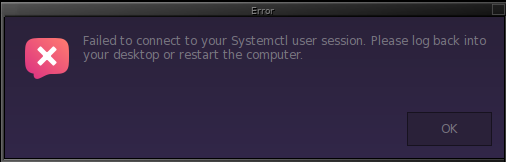
Tried the menu item and the command in the article and got the following message box:

Not quite sure how to set up the required service. Pretty sure I tried it before but that failed. That was back on bookworm. I'll go back to that post and see if I say what I had done! :slight_smile:

EDIT: oh, I think I had just read the post on the psd service and tried in vain to set one up. Obviously, it didn't get "translated" to OpenRC, so now I need to figure out how to add one.

That's an assumption .... get proof!
Do:
mount | grep "upperdir=/run/user"
and if you get a response beginning with : "overlaid on", then your browser is running on ram.

After which you can run elive-health in a terminal to have it check your system for "faults".

Oh, I'm so sorry for forgetting to mention I'd already done that, both with and without sudo. No response. Nothing. Nada. Nyet. Nein.

Ditto for elive-health.

SO FAR, it's looking like THIS implements the feature without defining a service. It might be a bit more "brutal" but it seems to work so far. It's sitting at around 50% memory usage with all the offending tabs running -- ok, it HAS been as high as 57% but that's waaay better than 100% and system being crazy sluggish or unresponsive.

Had to create folder in /etc that wasn't there -- local.d -- with these (marked executable) files:

/etc/local.d/rc.local.start

/usr/bin/profile-sync-daemon sync

/etc/local.d/rc.local.shutdown.stop

/usr/bin/profile-sync-daemon resync
/usr/bin/profile-sync-daemon unsync

Seems there's another way I haven't tried, might work as well or better. Involves adding tmpfs entries in your /etc/fstab file to mount the browser .cache folder as tmpfs:

tmpfs /home/xxxx/.cache/BraveSoftware tmpfs noatime,nodev,nosuid,size=500M 0 0
tmpfs /home/xxxx/.cache/vivaldi tmpfs noatime,nodev,nosuid,size=500M 0 0

Might have to try backing out the previous approach and see how this one does, just for grins.

Information derived from MX and Artix forums posts and Brave search AI.

EDIT: When I said above that memory usage was now around 50%, that was when I had four extensions disabled -- AdGuard, Bitwarden, DarkReader, and RecipeSage. Since re-enabling all of these, my conky is showing a fairly steady 65% memory usage. Vivaldi's task manager view only showed Bitwarden taking up any significant amount of RAM, the other 3 extensions didn't even show up.

EDIT: The solution to the browser high RAM usage under OpenRC is seen in the above notes for creating files in /etc/local.d .

RE-RE EDIT: SHEESH. Turns out, it doesn't work. Only SEEMED to work in earlier testing. So sorry. Back to the local desktop entry copies with the cache-on-disk settings.

BWAHAHAHAHA---NOT!!!! (Not really funny.)

After implementing this approach to taming browser RAM, I just now once again experienced the loss of mouse wheel scrolling. BAH!

Might back out the native title bar change....

EDIT: to be clear, the mouse wheel scrolling issue did not occur in the browser, but in nemo. So methinks it's more complicated than native window title bars....

Okay, did this but (1) can't tell any difference from the psd approach, and (2) can't see evidence that it's really working except that the mount | grep cache command does indeed show the specified .cache file on tmpfs. Showing my deep ignorance of this tmpfs business! :slight_smile:

No worries, all!

  1. Removed the tmpfs browser cache settings (they weren't working, AFAICT)
  2. Added one to put /tmp on tmpfs (hmmm...why isn't this done automatically?)
  3. Backed out the /etc/local.d files (removed execute permissions, in what I figured was an appropriate sequence to allow shutdown but not startup next time, then did the other one after reboot -- this actually was done before the tmpfs stuff above)
  4. Modified my local copy of vivaldi-stable.desktop to add the flags as shown below to the exec= directive.
  5. Exited and restarted Vivaldi.
  6. Verified the existence of /tmp/vivaldi-stable/cache.

/usr/bin/vivaldi-stable --disk-cache-dir=/tmp/vivaldi-cache --disk-cache-size=536870912

So far, so good. Still showing around 65% memory usage, and will keep an eye on it to make sure it doesn't start skyrocketing.

Do the same thing as above (with different /tmp directories!!!) for brave-browser and/or opera, etc.

EDIT: this has turned out to be the most viable solution. The "solution" posted on page ~5 (?) above doesn't really work. To get psd running in userspace in OpenRC involves way more than any mortal should have to deal with. Google it and see.

Okay, it's been a great experiment, but will be going back to the psd setup code in /etc/local.d files, as that approach provides more coverage in RAM.

Even so, after implementing the cache-on-disk feature for both Vivaldi and Brave, right now I have both open with gobs of tabs and memory usage has not gone over 70% (usually still around 65% at idle).

EDIT: removed the private browser desktop files from .local/share/applications, restored executability to the psd "services" and rebooted. Even better memory performance under psd, right now sitting at 55% memory usage. Will mark solved on psd setup note above.

RE-RE EDIT: Dang, the psd "/etc/local.d" pseudo-services didn't really work, I was fooled initially. Back to the cache-on-disk browser startup command flags, which do work, though not as well (don't put as much browser stuff in RAM).

I note that this approach can be verified by running "ls -la /tmp/vivaldi*". :slight_smile: