Can someone who is not a main developer please show me a screen shot of the Elive Center? (Main menu > Elive > Elive Center)
I just want to see what I'm missing. I can't see it. Thanks!
If you'd checked out the gitlab link I gave you, you could've seen it in action.
It's not a big deal and all the links can be found in the links directory and/or as a separate menu item. Elive-center is just configuration tools bunched up together for simplicity.
@Durhammer and/or @earl31515
Considering we have no way of seeing what's happening on your machines, for trouble shooting you could run "elive-server elive-center" from a terminal and show us what errors that gives.
Use:
source `which elive-center` to do that.
And post the output here.
Here ya go, complete with dumb ash typos from not doing copy/paste:
~ >>> source 'which elive-server'
source: no such file or directory: which elive-server
~ >>> sourcewhich elive-server127
source: no such file or directory: elive-server
~ >>> which elive-server 127
elive-server not found
The 127's are at the end of the lines in the terminal, FWIW.
Well it is about 'elive-center' but admittedly I did have a typo there in the first sentence, mea culpa.
You'll want the command shown there.
Tip:
Hightlight/select text from almost anywhere (including the terminal or pdf files) and then middle-click where you want to paste it.
IMO the easiest way to copy/paste in linux. 
Also note that in the command those are back-ticks and not apostrophes. All the more reason for "select-> middle-click".
explainer:
Two backticks work the same as $(which elive-center) in the shell.
@triantares -- just stick to Elive or Enlightement stuff, 'K? I know about copy/pasties, etc.
I just never have mastered the art of cut-and-paste from an Android tablet to a Linux laptop! 
Meanwhile, yep, something is really, really goobered up:
~ >>> source
which elive-center
Skipping non-existent argument: /usr/share/elive-center/links/org.gnome.Packages.desktop
caching yad
caching ld-linux-x86-64.so.2
caching libatk-1.0.so.0.25611.1
caching libblkid.so.1.1.0
caching libbrotlicommon.so.1.0.9
caching libbrotlidec.so.1.0.9
caching libbsd.so.0.11.7
caching libcairo.so.2.11600.0
caching libc.so.6
caching libdatrie.so.1.4.0
caching libexpat.so.1.8.10
caching libffi.so.8.1.2
caching libfontconfig.so.1.12.0
caching libfreetype.so.6.18.3
caching libfribidi.so.0.4.0
caching libgdk_pixbuf-2.0.so.0.4200.10
caching libgdk-x11-2.0.so.0.2400.33
caching libgio-2.0.so.0.7400.6
caching libglib-2.0.so.0.7400.6
caching libgmodule-2.0.so.0.7400.6
caching libgobject-2.0.so.0.7400.6
caching libgraphite2.so.3.2.1
caching libgtk-x11-2.0.so.0.2400.33
caching libharfbuzz.so.0.60000.0
caching libjpeg.so.62.3.0
caching libmd.so.0.0.5
caching libmount.so.1.1.0
caching libm.so.6
caching libpango-1.0.so.0.5000.12
caching libpangocairo-1.0.so.0.5000.12
caching libpangoft2-1.0.so.0.5000.12
caching libpcre2-8.so.0.11.2
caching libpixman-1.so.0.42.2
caching libpng16.so.16.39.0
caching libselinux.so.1
caching libthai.so.0.3.1caching libX11.so.6.4.0
caching libXau.so.6.0.0
caching libxcb-render.so.0.0.0
caching libxcb-shm.so.0.0.0
caching libxcb.so.1.1.0
caching libXcomposite.so.1.0.0
caching libXcursor.so.1.0.2
caching libXdamage.so.1.1.0
caching libXdmcp.so.6.0.0
caching libXext.so.6.4.0
caching libXfixes.so.3.1.0
caching libXinerama.so.1.0.0
caching libXi.so.6.1.0
caching libXrandr.so.2.2.0
caching libXrender.so.1.3.0
caching libz.so.1.2.13
caching audio-configurator.desktop
caching browsers-on-ram.desktop
caching e16-keyedit.desktop
caching elive-restart-desktop-configurations.desktop
caching elive-scale-desktop.desktop
caching elive-skel.desktop
caching elive-upgrader.desktop
caching eltrans.desktop
caching gnome-system-monitor.desktop
caching language-keyboard-configurations.desktop
caching lxappearance.desktop
caching nm-connection-editor.desktop
caching org.gnome.PowerStats.desktop
caching org.gnome.Software.desktop
caching touchpad-configurator.desktop
caching user-manager.desktop
caching user-switch.desktop
caching arandr.desktop
caching elive-chat.desktop
[2] 32042
[3] 32043
Unable to parse command line: Cannot parse integer value “90108” for --item-width
[2] - 32042 exit 255 "$YAD" --class "Elive_Center" --plug="$KEY" --tabnum=2 --icons >
^[[A^C
(yad:32044): Gtk-CRITICAL **: 10:56:52.782: IA__gtk_main_quit: assertion 'main_loops != NULL
^[[A^[[A^C
(yad:32044): Gtk-CRITICAL **: 10:57:31.878: IA__gtk_main_quit: assertion 'main_loops != NULL
^C
(yad:32044): Gtk-CRITICAL **: 10:57:34.131: IA__gtk_main_quit: assertion 'main_loops != NULL
^C
(yad:32044): Gtk-CRITICAL **: 10:57:39.681: IA__gtk_main_quit: assertion 'main_loops != NULL
^Z
[4] + 32044 suspended "$YAD" --class "Elive_Center" --paned --key="$KEY" --keep-icon-size
~ >>> sourcewhich elive-center> which.txt
[2] 1508
[5] 1509
Unable to parse command line: Cannot parse integer value “90
108” for --item-width
[2] 1508 exit 255 "$YAD" --class "Elive_Center" --plug="$KEY" --tabnum=2 --icons >
^Z
[6] + 1510 suspended "$YAD" --class "Elive_Center" --paned --key="$KEY" --keep-icon-size
~ >>>
Somewhere it was hung up, probably why the window doesn't populate. When I realized the thing was hung up, I tried Ctrl-C until I realized it needed a Ctrl-Z.
Good suggestion. Good luck!
source elive-center
Skipping non-existent argument: /usr/share/elive-center/links/org.gnome.Packages.desktop
caching yad
caching ld-linux-x86-64.so.2
caching libatk-1.0.so.0.25611.1
caching libblkid.so.1.1.0
caching libbrotlicommon.so.1.0.9
caching libbrotlidec.so.1.0.9
caching libbsd.so.0.11.7
caching libcairo.so.2.11600.0
caching libc.so.6
caching libdatrie.so.1.4.0
caching libexpat.so.1.8.10
caching libffi.so.8.1.2
caching libfontconfig.so.1.12.0
caching libfreetype.so.6.18.3
caching libfribidi.so.0.4.0
caching libgdk_pixbuf-2.0.so.0.4200.10
caching libgdk-x11-2.0.so.0.2400.33
caching libgio-2.0.so.0.7400.6
caching libglib-2.0.so.0.7400.6
caching libgmodule-2.0.so.0.7400.6
caching libgobject-2.0.so.0.7400.6
caching libgraphite2.so.3.2.1
caching libgtk-x11-2.0.so.0.2400.33
caching libharfbuzz.so.0.60000.0
caching libjpeg.so.62.3.0
caching libmd.so.0.0.5
caching libmount.so.1.1.0
caching libm.so.6
caching libpango-1.0.so.0.5000.12
caching libpangocairo-1.0.so.0.5000.12
caching libpangoft2-1.0.so.0.5000.12
caching libpcre2-8.so.0.11.2
caching libpixman-1.so.0.42.2
caching libpng16.so.16.39.0
caching libselinux.so.1
caching libthai.so.0.3.1
caching libX11.so.6.4.0
caching libXau.so.6.0.0
caching libxcb-render.so.0.0.0
caching libxcb-shm.so.0.0.0
caching libxcb.so.1.1.0
caching libXcomposite.so.1.0.0
caching libXcursor.so.1.0.2
caching libXdamage.so.1.1.0
caching libXdmcp.so.6.0.0
caching libXext.so.6.4.0
caching libXfixes.so.3.1.0
caching libXinerama.so.1.0.0
caching libXi.so.6.1.0
caching libXrandr.so.2.2.0
caching libXrender.so.1.3.0
caching libz.so.1.2.13
caching audio-configurator.desktop
caching browsers-on-ram.desktop
caching e16-keyedit.desktop
caching elive-restart-desktop-configurations.desktop
caching elive-scale-desktop.desktop
caching elive-skel.desktop
caching elive-upgrader.desktop
caching eltrans.desktop
caching gnome-system-monitor.desktop
caching language-keyboard-configurations.desktop
caching lxappearance.desktop
caching nm-connection-editor.desktop
caching org.gnome.PowerStats.desktop
caching org.gnome.Software.desktop
caching touchpad-configurator.desktop
caching user-manager.desktop
caching user-switch.desktop
caching arandr.desktop
caching elive-chat.desktop
[2] 10163
[3] 10164
Unable to parse command line: Cannot parse integer value “108
108” for --item-width
[2] - 10163 exit 255 "$YAD" --class "Elive_Center" --plug="$KEY" --tabnum=2 --icons > "$res1"
That was a nice tipp with the middle-click. Thank you.
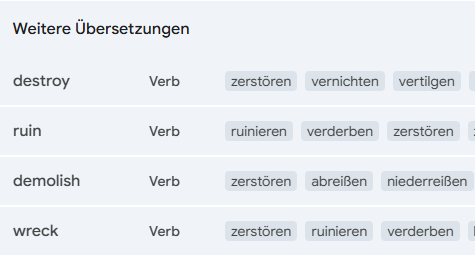
I killed the elive-center-window over the left edge with the "destroy" command so i have no more output.
Maybe, but as you can see, after that command it suspended ...... so you might still have some sub-processes running.
The caching is expected, even wanted behavior but the Gtk errors certainly not, albeit something that did occur after your Ctrl, C.
The 90108 for --item-width is interesting, it might deserve some looking into as to why that comes up. Especially because it seems Nvidia (only?) related. 
You're not the only one reading these posts (I should hope) and others might find that info useful. It's a public forum after all.
Actually that can be done (with ssh and/or vnc) but not bi-directional.
Your solution by writing the output to a file and copying that file from the one to the other, is ultimately the easiest and fastest way. 
Anyway, thank you for the output.
This does seem like the culprit if I compare your's and durhammer's output.
Still kinda weird behavior.
You're very welcome.
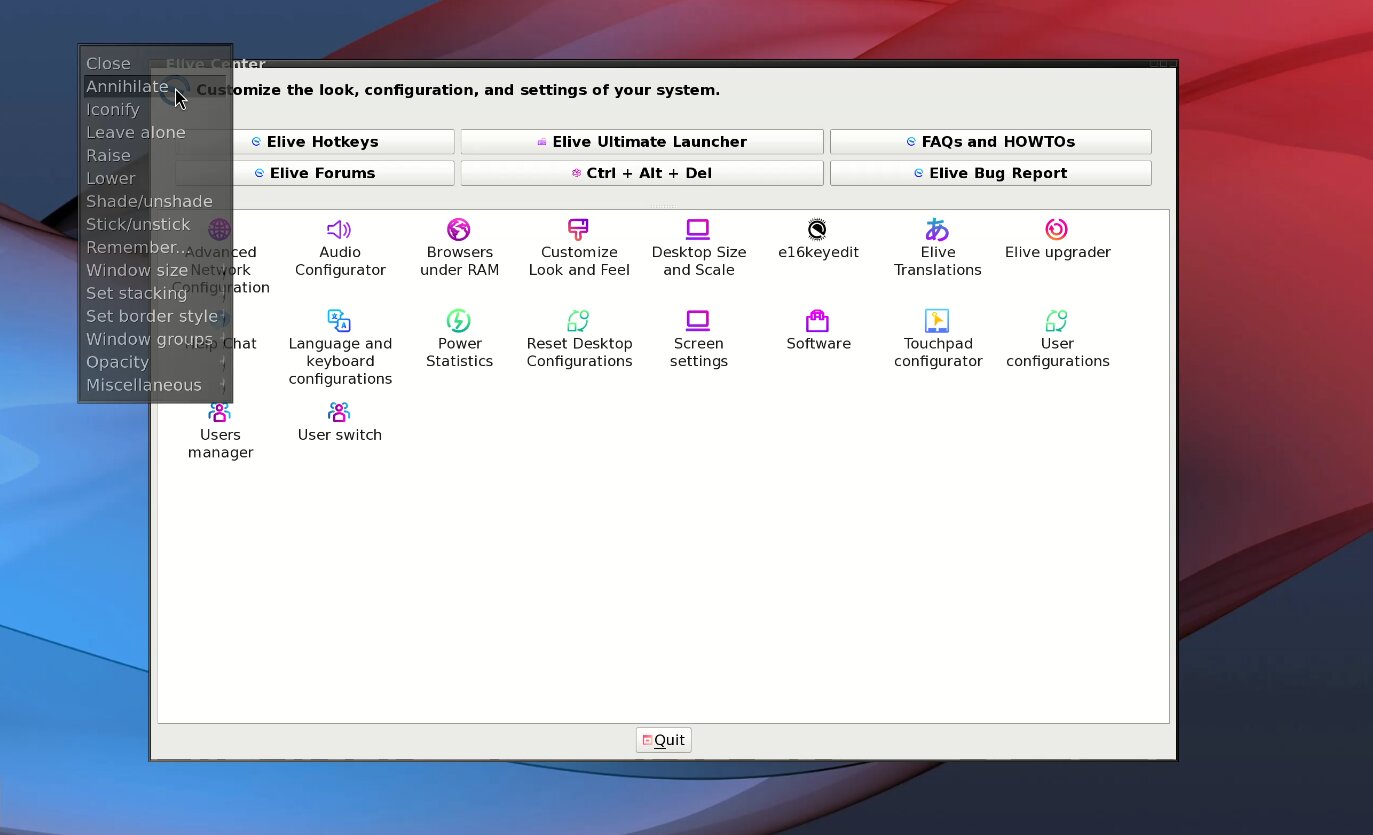
Wow, I always forget the blue button ..... despite being the most ardent supporter of that button when this theme was introduced.
Did you know you can get the very same menu by Ctrl, Alt + right-click on the widget?
.
Great tip, thank you! (alas not on E27 in the same way) .... 
Just different on E27:
Well actually on E16 it says "annihilate", which is a lot extremer than close. 

Yes, it's funny, @triantares. Ha. Ha. Ha. But of course, I already had seen what was on gitlab.
Maybe I should have made a poll, but doubted that anyone would respond (not that anyone but one other has responded in the first place!). I'm just really, really curious if there are others who have the same problem. Or even if (ahem, sorry) nobody actually uses the thing.
Since I'm running Elive without a working Nvidia card (powered off, card busses removed, driver blacklisted [but hmm...not removed]*), it's as if the thing doesn't exist. So I really do NOT think it's a Nvidia issue. I'm just wondering if it's an issue getting two yads to overlay.
Speaking of possible hardware or other system components interaction, y'all might want to consider asking folks to post their output of a chosen inxi command. The MX Linux forum mods, developers, and such pretty much demand that to be provided before asking for help in a post. They even have a spiffy GUI (MX-QuickInfo) to run it (with lots of options) and it's automagically copied to be pasted into the post for reference. Not that you need anything more to work on, of course!
*(I even looked into physically removing the GPU chip from my laptop, but figured I didn't know what I was doing or what that would do to the systems running on it, so software castration was the only option left.)
Well, considering the issue is software related (meaning the kernel handling of specific hardware) that castration should suffice.
I'm getting suspicious about Gtk handling yad requests, which come on top of the Gtk-Enlightenment entanglement issues.
Like already said:
Combined E16 and Gtk/Qt apps is a stopgap solution for Elive until E is stable enough to be fully adopted again.
Hence our interest in finding as many bugs we can on it ASAP.
Originally it was meant as one-stop place for new Elive adopters, also for showcasing specific nifty tools that only Elive has. Most haven't been added yet, as they are/were specifically command-line and would require creating GUI versions for them.
Elive-(tool)center definitely could use a tad more love, thank you for reminding me.