If you want to add, remove, modify existing applications in your system, the correct way is to do it in ~/.local/share/applications/ to the .desktop files. But this may be a little complex for normal users
Since Elive is meant to be a fully userfriendly and complete OS, having an apps editor is an high requeriment to have.
Let's debate on this thread ALL the features that this application should have, to first brainstorm its design before to make it, so we can have a gorgeous one
able to delete applications from showing up. By overwriting the system's .desktop with a local one with the required modifications to not show up
able to add new applications.
able to modify exisitng .desktp created files (or make a local copy first if we don't have it). From a selector of the application to modify (listing all of them).
Editable sections: We need to edit values like if must run from terminal, to add an icon with a selector of icons picker listing them from the system's set icons theme), categories selection, name/comment/genericname, keywords, exec command and a selector of which types of arguments to use (like %U), etc. and other freedesktop useful standards for it
Able to select which type of application we want (launcher, application, trigger, etc etc. must see which ones we have available at freedesktop)
No, if you create a .destkop file and put it on your ~/.local/share/applications/ it will show you on your e16 menu. The e16 menu is automatically generated based on the .desktop files of your system, which can be triggered a new one running:
/usr/share/e16/scripts/e_gen_menu
the new e16 package includes a much improved menu now in elive
all the applications should depend of the .desktop files, this is the standard
so thats why we need an editor tool for applications (their definition, which is the .desktop files)
updated: added a checkbox-list of features required. More ideas?
Basically the new e16 menu looks like the same in enlightenment or in cairo-dock, it tries to simulate as much as possible the same behaviour defined on these menus, so you can remember that the one in e16 looked pretty different. Also it includes translations now
Where are these .desktop installed by default ? maybe i can include that directory to be automatically recognized by elive
Would be handy if it could create .desktop files for bash scripts, etc. Sometimes create these as proof-of-concept for apps and trial them for long periods.
If you can create a bash script it's not hard to create the .desktop file it requires along with it.
The only (relatively) hard thing IMO is finding or creating a fitting icon for the app.
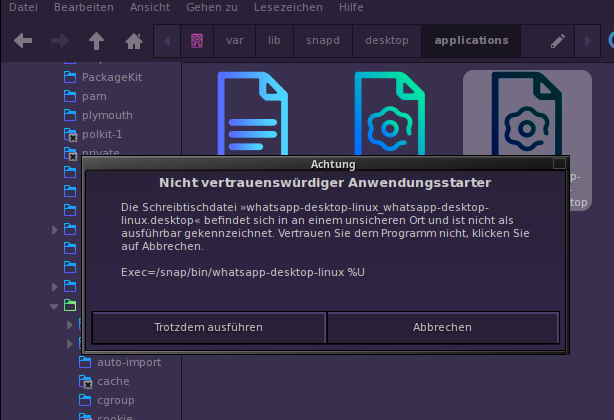
Today I tried and I didn't need to edit the files because they already had the right value. But if I install a program per snap, he tells me about the succesful install, but the program will not automatic be in the menu.
Bonjour, le rajout de .desktop marche parfaitement en les mettant, comme cité plus haut dans /home/.local/share/applications. J'ai essayer de rajouter une directorie, au menu E16 mais n'y suis pas arrivé. Ce serai bien un module E16-menu-config ;). Un peu comme libre menu. Ajouter des directories, des .desktop, pouvoir les déplacer librement, avec un enregistrement dans /home/./local/share... comme ça l'utilisateur garderai sa configuration même après mise a jours. Bon je dis ça je serai incapable de la faire, mais c'est une idée.