@Thanatermesis about Elive E16, I think that you just have to install the EFL. I don't see any problem with E16, except maybe some settings.
I have tested Entice on manjaro with gnome as DE.
@Thanatermesis about Elive E16, I think that you just have to install the EFL. I don't see any problem with E16, except maybe some settings.
I have tested Entice on manjaro with gnome as DE.
If you are interested, in git, Entice can order images by name, or by last modified date. See settings to choose which one when Entice is launched.
By default, it's by name
In case you are still interested with Entice, there is a winlist now (list of thumbnails on the left).
Very cool!
Do you have a list of the TODO features in the repo? the things that are wanted to be implemented? I remember the original entice to be very different as the actual one (and with an edje interface) but in the end the idea is to be a handy tool, actually I use viewnor just a fast viewer of images but if entice is equally handy we can set it by default
the things that still should be implemented are in the bottom of README.md. The thigs that are iplemented are in the README.md too
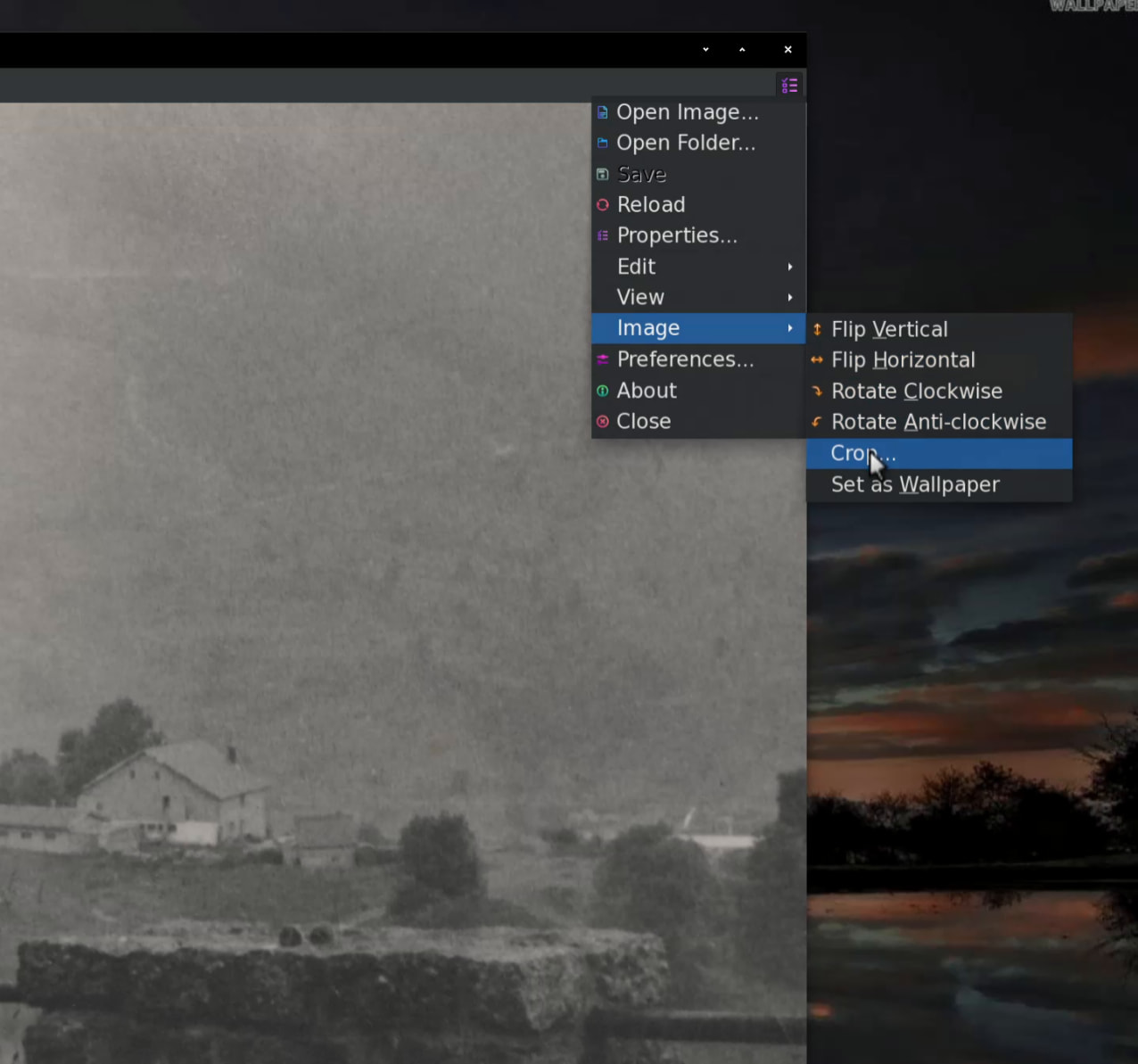
Maybe I should also add a “setting as wallpaper” feature
That wouldn't be a bad idea IMO. 
The other viewers do have that option already but they don't work properly (actually: not at all) on Elive/Enlightenment.
@triantares Which keyboard short is commonly used ? (edited)
Can't say I've noticed a key-shortcut for that. 
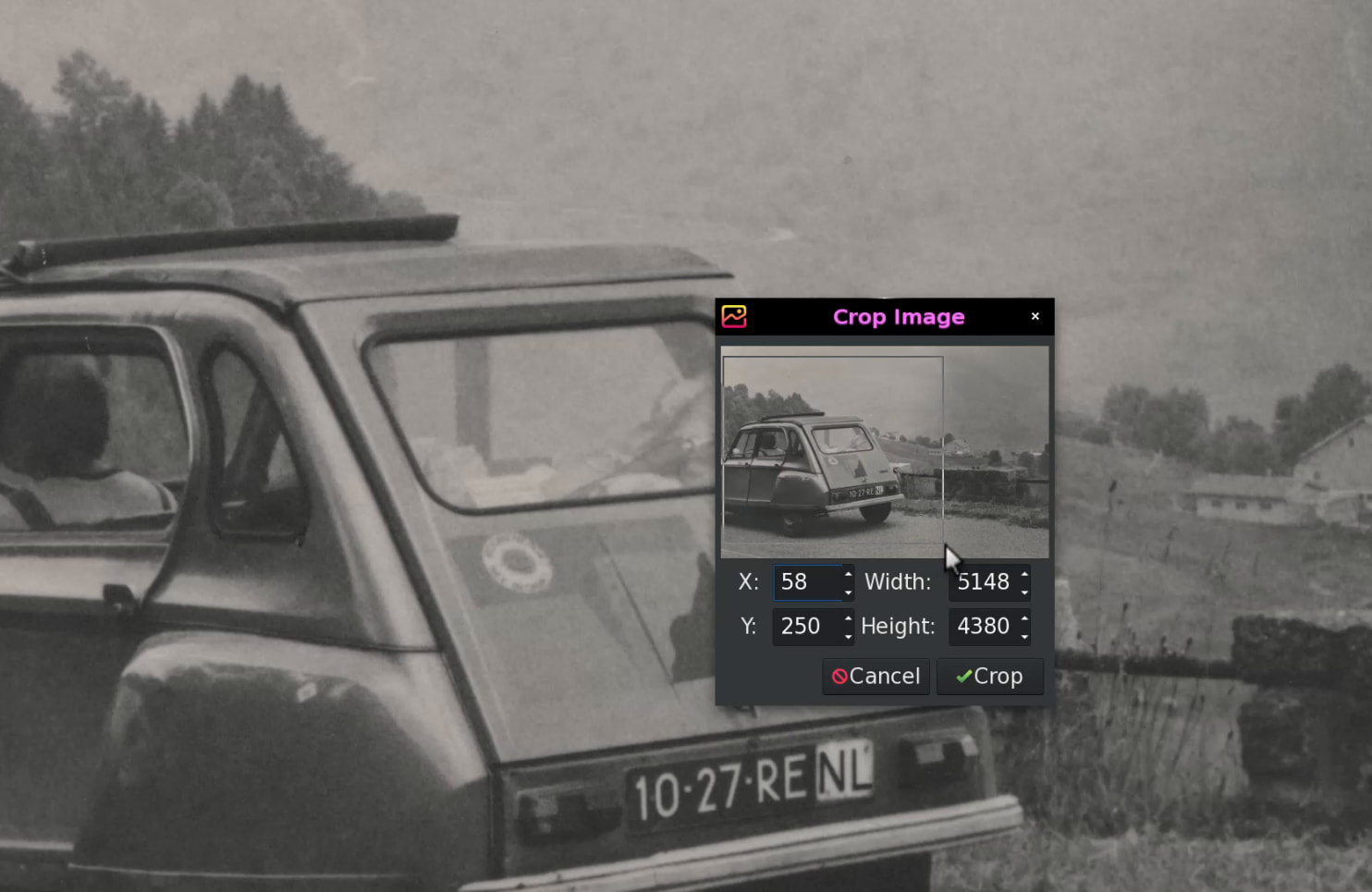
There is a feature on viewnior I like a lot (but maybe I'm alone on that) and that is the 'crop' function.
It allows you to crop the image to your liking and save that. Together with the 'rotate' functions that's quite nice for simple edits.
And has a visual aide using a thumbnail with a mouse drag and select. It's very cool. 
Btw, I would like to add a stunning ‘about’ window, but i am lacking of good ideas and I’m bad as artist, so if you have ideas, mockup, with animations, i would be glad to hear them
For example, I would quite like a beautiful animation of a blinking eye, either a lottie one, animated svg, of set of images.
If someone can do it, even with AI… It must be free of use, of course
Are you thinking of using the eye as it shows in the icon bar?
Or something completely new?
Getting something like the icon to blink wouldn't be the hardest part but having it stable in a pop-up would probably require a certain preferred format, wouldn't it?.
In general, 'about' pop-ups aren't very amazingly set-up but then again, the content isn't spectacular either. i.e an icon, the name, creator(s), license.
this icon or another one. But a stunning ‘about’ would also be good for advertising.
This icon has been done by raster. It’s in data/icons.
I can use ai generated image like https://th.bing.com/th/id/OIG1.6ft3ZdsA.QahdKHQr7uM or other ones.
For the format, a set of 10~15 images would be sufficient. I would then make an edje for the animation.
I'm still not fully in the clear what you're after.
Do you mean using an animated background with the text and icon superimposed or what?
Having the textblocks does sort of minimize the available options and ultimately gets in the way of the readability of the window ..... which after all is its main goal.
I'd opt for an opening (or closing) animation, if at all. Maybe a sort of wild zoom-in from outer space ending in an eye.
Or zooming into the lens of an eye and ending inside with the 'about' info actively being lasered onto the retina.
Going that far would be better served with a short movie than a .gif, though ..... maybe make it an 'easter-egg'??
I'm a minimalist/purist. Too many toots and whistles make the app feel tacky or cheap IMHO. 
On RetroWave you can go over-the-top a bit but NOT on other design themes like default Elive/E27.
Looks like I'll be needing to make a BeautyLine theme version of that one too, if we plan on using it a lot with RetroWave. 
an animation of a blinking eye like https://www.youtube.com/watch?v=P7nCvM9qMzE
it could be real, cartoonish or pixel art, maybe blurry, as I plan to add the project name, version et list of contributors
easter egg, of course, I’ve also thought about this
I could create something like that but would need a lot more info....I cannot see inside your head.
Is it the background of the opened 'about' widget you want or the whole content (including text) or just the existing icon (which looks very much AI generated) that is at the end of the blink as transformation?
maybe something like gimp (for now) : an icon at the top, and text below, but the icon would be animated
Aha, albeit that is quite a simple thing .... not that amazing.
How about a winking eye that morphs into the 'about' widget? ..... maybe even use that as an 'opener' animation when starting the app too.
It would require a transparent canvas and a borderless widget for the animation, though.
the problem is that every desktop uses a different way to add wallpaper, there's not a standard way (from what I know), could be good to have a standard command that makes it compatible among desktops, Elive has one in fact:
elive-wallpaper-set
But then then the problem is that the tools don't use this command, and they only set the wallpaper to their "wanted" desktop
just copy the one of E or Rage ?