Sometimes I need to have multiple terminals in my screen, and since im a fanatic of the automation, I wrote a script that opens multiple of them in one shot, where actually I have 2 machines configured, in my laptop opens 3 terminals vertically and in my double-screen (vertical) computer it opens 3 + other 3 ones.
Let me share the script so that you can enjoy of the same feature, its easy to edit to add new defintions:
#!/bin/bash
source /usr/lib/elive-tools/functions

# Opens multiple terminals in a grid layout
# Usage: open_terminals <terminal> <cols> <rows> <width> <height> <x_step> <y_step>
open_terminals() {
    local term=$1 cols=$2 rows=$3 width=$4 height=$5 x_step=$6 y_step=$7
    local geom_flag="-geometry"
    [[ "$term" == "terminology" ]] && geom_flag="-g"

    for ((r=0; r<rows; r++)); do
        for ((c=0; c<cols; c++)); do
            local x=$((c * x_step))
            local y=$((r * y_step))

            el_debug "$term $geom_flag ${width}x${height}+${x}+${y}"
            "$term" "$geom_flag" "${width}x${height}+${x}+${y}" &

            LC_ALL=C sleep 0.1
        done
    done
}

usage() {
    local cmd
    cmd=$(basename "$0")
    echo "Usage: $cmd <terminal_emulator> [mode]"
    echo "   or: $cmd <terminal_emulator> <cols> <rows> <width> <height> <x_step> <y_step>"
    echo
    echo "Arguments:"
    echo "  terminal_emulator : The terminal to use (e.g., urxvt, terminology)"
    echo "  mode              : Predefined layout (Satori, Titan). Defaults to hostname."
    echo "  cols / rows       : Grid dimensions (number of terminals)"
    echo "  width / height    : Terminal size in characters (e.g., 80x24)"
    echo "  x_step / y_step   : Pixel distance between terminal windows"
    echo
    echo "Note: terminology sometimes may have issues with correct window positioning."
    echo
    echo "Examples:"
    echo "  $cmd urxvt Titan"
    echo "  $cmd terminology 3 1 87 80 640 0"
    echo "  $cmd urxvt 3 1 77 70 640 0"

}

main() {
    local terminal="$1"
    [[ -z "$terminal" || "$terminal" == "-h" || "$terminal" == "--help" ]] && usage && return

    # Parameters for open_terminals:
    # cols rows width height x_step y_step

    if [[ $# -ge 7 ]]; then
        open_terminals "$terminal" "$2" "$3" "$4" "$5" "$6" "$7"
    else
        local mode="${2:-$(hostname)}"
        case "$mode" in
            Satori)
                # my laptop, 1920x1080, with 157 dpi
                open_terminals "$terminal" 3 1 87 80 640 0
                ;;
            Titan)
                # 2 screens of 4k resolution in vertial alignment
                open_terminals "$terminal" 3 2 105 104 853 1600
                ;;
            *)
                echo "Error: Unknown mode '$mode'"
                usage
                return 1
                ;;
        esac
    fi
}

#
#  MAIN
#
main "$@"

# vim: set foldmethod=marker :
Questions:
do you find this tool useful for you too? (or is only for people like me?)
if so, do you have a better suggestion of how to implement something like this in a desktop in order to be handy for an end user?
For me as a heavy user of the drop down ‘guake-terminal’ not quite as useful. I can split the terminal as much as I want or open as many tabs as I want.
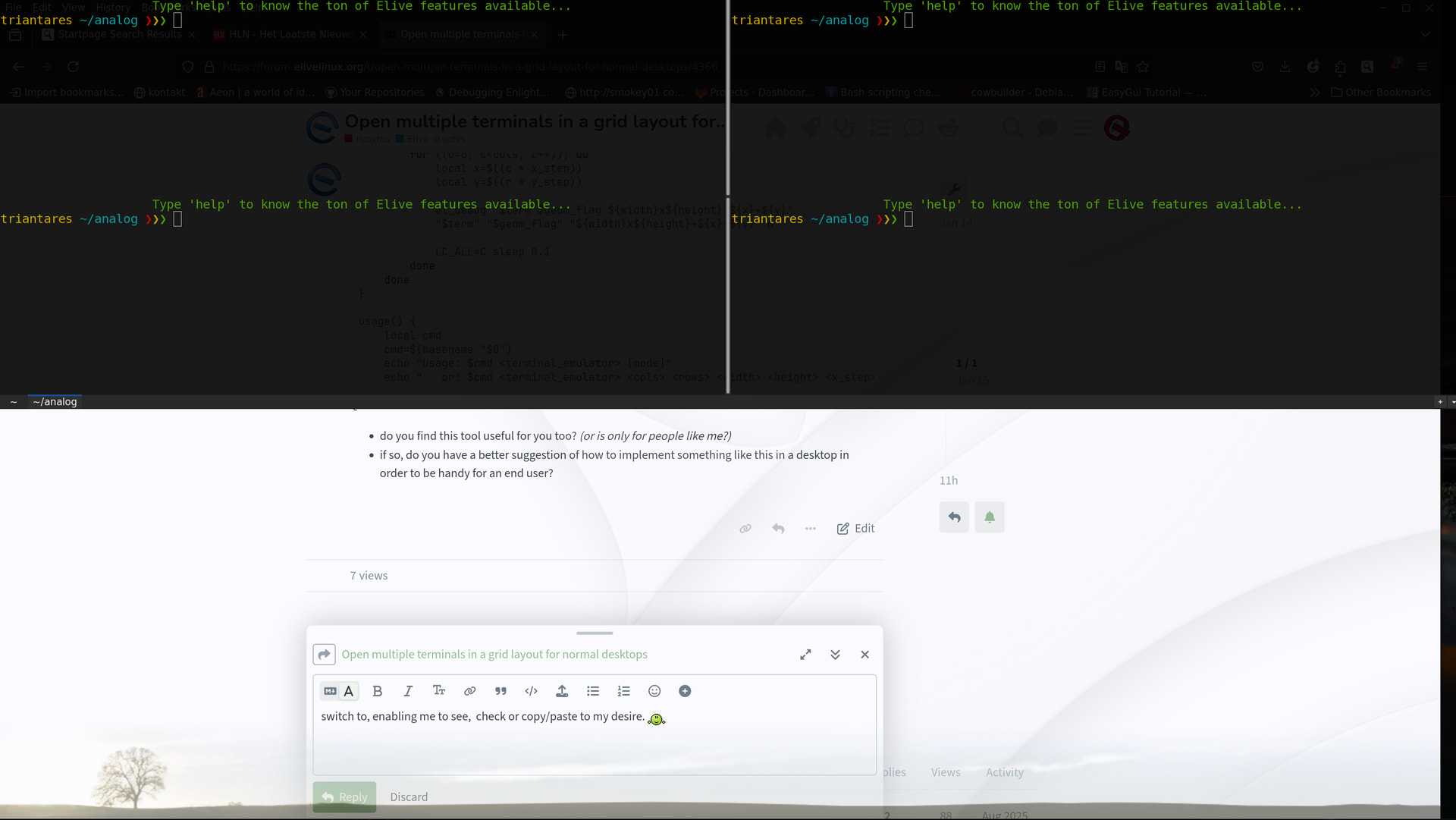
The real goodie for me is that I can open/close it by a mere tap on F12 (it opens on any screen or desktop the cursor is active, at that moment) and …. this is major!!! …. I can take it with me on any virtual desktop I switch to, enabling me to see, check or copy/paste to my desire.
I think I’ll stick to what I have, instead of having to search which of those opened terminals is actually active.
yeah for me i have many terminals and the most difficult thing is to remember which one is which, so my virtual desktops always changes their organization depending of my workflow, I wonder want can be a best / optimal way to use them
That’s exactly why I like using quake, split in multiple terminals (if needed) and different tabs.
I hit F12 and it appears on top (as well as on top of everything) and with F11 I can use the whole screen if wanted. F12 again and it’s gone but continues whatever it was doing.
The tab-marker show what is is running or the directory it is in. I use that a lot so as not to get lost where what is happening …. sort of sand-boxing when using local scripts or even open ssh connections.
‘Guake’ is the first thing I install on any new installation, with ‘mc’ as a follow-up.
Along with “select” and “middle-click” for copy/paste, it save loads of time and hassle.
Done a lot of thinking and the conclusion is that a tutorial is way clearer on demonstrating the strengths of guake…. also a lot easier.
OTOH a youtube video would (hopefully) gather a few more views than just those on the forums here, who after all, don’t need any Elive teasers anymore.
Just thinking out loud …… helpful comments appreciated.
I’ve hit a serious snag whilst preparing a screencast video (with vokoscreen and/or OBS):
I cannot find a way to combine my 2 monitors (3840x2160 each) into a single output.
Screen-capture (i.e scrot) does take fine static shots showing both monitors side by side.
BEGIN ……
Messing around I found out that "‘kazam’ does have that functionality but in Elive (running E27) doesn’t appear anywhere on my panels as it does in gnome….. it just disappears. Hitting ‘Super+Ctrl+F’ makes the recording stop and saves it to my Videos folder but this quirky and a bit ‘shoot-and-miss’, also requiring some patience before something happens.
Another thingy is that the saved .mp4 files will NOT be played by Firefox , all other browsers are fine, including ‘librewolf’. Re-encoding with ffmpeg is an unnecessary PITA so set ‘kazam’ to save as .webm files and you’re good to go.
Else re-encode with a different yuv:
Considering guake does everything other terminals do (like splitting and adding tabs) it's sole strength lies in it's availability as an overlay on any screen or monitor you want or need. It's always at your fingertips.
The drop-down appear/disappear option using F12, even if it's fullscreen.
It just moves along with you as you go from one monitor to another or from virtual-screen to the next, getting out of the way when not needed and back up with a touch of the key. That's gold!!
@Thanatermesis I wont be making another video like the previous as it is fairly difficult to show this guake-strength without mentioning "and now I hit F12" all the time, to clarify what's going on .... and even that is a shitty solution.
I've now fully moved over from 'vokoscreen" to 'kazam' as that's the only available app that will capture multiple screens. It's only downside is the need of the "traditional systray" in E27 and that Firefox cannot handle the yuv444 format when decoding .mp4 files.
Neither is a biggie and and webm has smaller files anyway.
imho thats not very useful in the sense that reproducing later a ”so big” (in resolution) video in a normal (user’s) screen will not be able to see the details, like reading the fonts, etc… the best is to record a single screen and even increase font sizes if needed for the video, or with vokoscreen you can select just an area to record (very useful especially for howtos/forums/website demos)
EDIT: Turns out that 'kazam' doesn't work on the new systray in E27 but shows fine when opting for the old.
yeah, many issues with the old systray system, the question should be: does the new kazam works with the new systray? (which means, newer than bookworm)
without sound, I cannot know what is happening , and:
the fonts are very unreadable (small)
the video aspect not very good to play (if needed both, instead, record it with your phone while moving across the screen)
I also recommend you to use a “typing visualizer” I use this setting myself to restart a screen recording:
NOTE: including a video in the forum can take a lot of disk space, and the server for it is very limited in HD (better to remove it), that’s why youtube is a better place to put them (free hosting), as a bonus: if the video is good and includes good keywords it can make Elive more known indirectly
maybe you can create a Terminology ticket to debate this, so i think it can be perfectly added as a fetaure to terminology but maybe they think that a better solution is to have an E implementation for that (which means, an emodule)
I agree but my reach on youtube is extremely limited, alas. On top youtube is getting on my nerves as a cesspool of AI generated bullshit.
No, not at all but that is not just Elive ..... it also happens on other distros. Looks to be a 'kazam' thing to solve.... i.e it shouldn't be solely dependent on the systray.
Hence me putting up a link to my own server and not putting it up on the forum. Frankly, I don't even know if it's possible to upload videos to the forum, I don't think so.
I don't think terminology is in a position to emulate this behavior, especially since guake is designed to do this from the beginning .... it would actually be more reasonable to have guake copy/emulate terminology.
A specific (Elive) emodule for either solution would be quite a good, though.
I have no idea how to make this a good video that would also benefit Elive directly other than propagating the emodule, mentioned earlier....i.e if we could create something like that, that would be great.
Frankly I use both terminology and guake together but guake is my baseline and terminology I keep on the desktop next to the window it concerns.
so the forum is very good because it looked like the video was uploaded here
it sounds much more of a feature of the desktop than the tool itself, there can be an emodule to use F12 for this action associated to “any” application (which can be on this case any selected terminal)
the simple thing to show the distro and its beautiful interface (ok that is more like an elive 3.0 thing) is enough for the people say “oh! what OS is that? I wanna try it!”




 , and: