I am merely reporting on my experiences, which of course should not be considered as "bugs" since I still am not Experienced (are you?).
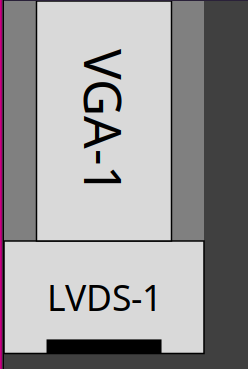
Thanks to the extremely kind hint, I clicked the "LVDS-1" item with the skinny line beside it and above the other "LVDS-1" item in the screens/monitors confiiguration panel. I guess in an attempt to be "elegant", a vertical bar was chosen rather than a traditional pull-down "v" type icon. Whatever. It did indeed show my "VGA-1" monitor and I was able to successfully set it up. And @Thanatermesis is correct, except in saying that the native configurator "may" change it back (should have been "will"). I had said that the xrandr command did briefly show everything as it should be, but then that collapsed back to being E-forced. 
I found the wallpapers configurator and since it only had the default, pointed it to a collection of backgrounds/wallpapers I had. I quickly found out that many of the images are too small or too "horizontally biased" to show up except in a middle band on the upper monitor. I did find one image that came from PeppermintOS that was nice and filled both monitors. What I do not like is that there is no option to stretch or zoom the image to fit the virtual space of both monitors. It treats the two as separate areas to fill, very much like Xfce does or as I've seen in my limited experience with Wayland (perhaps that's why it is that way). At least it doesn't do like Xfce forces you to, to move the config panel to the monitor to be tweaked. I tried using nitrogen, but it did nothing at all. So I guess it is what it is. But I do know that e16 does let the wallpapers scale/zoom, so this is an unwelcome change.
I had lots of other fun trying to adjust the screen (resolution? DPI? scaling?) so the text was a bit bigger and such. I can't remember the various things I tried, but now, everything's too big, especially apps. Here's the thing -- of course it surely cannot be a bug -- but every time I made such a change, I figured it didn't show up (sure didn't seem to) until I restarted Enlightenment. Trouble is, every time I did that, after the restart, my laptop monitor was all black. The cursor showed up (I think) but no windows. At first, all I could figure out to do was to hit the good ole power button. Eventuall (there were LOTS of these same encounters), I found out if I moved the cursor to the top monitor and used Alt+Tab there, the bottom monitor window would open there. Still couldn't use the bottom area, thoug. I did go back on e16 to define a Super+Esc key mapped to "logout" but of course there's a "you sure?" prompt that occurs on the monitor you entered it on, so that also had to be done in the upper monitor. Another frustration with just being able to do things and remember what I'd done!
Back on e16 -- yet another frustration (I'm sure it's all my fault) is possibly related to the scroll wheel text interruption thing, but way, way worse -- is that, quite often (it did while entering the above) I will be typing in something, and not only can I not enter anything, if I scroll with the mouse wheel, it does this really, really weird thing of just highlighting text either way, up or down, from some random (?) location above where I've been entering text. When this happens, I can move the mouse/cursor to where there would be the panel to try to launch something. Nope. Also can't close a window. Can't even raise the Elive desktop main menu. Again, good ole power button. Fortunately, upon reboot, the above text came back up when I restarted the browser (while the problem was going on, it was all lost). And you wonder why sometimes I say the things I say....
I promise to keep slogging away. This is too much of a challenge to just go away and return to other familar environments. And I know I can get annoying. But I do wish and hope you guys will be understanding and helpful. I know there are few of you, and you're doing a great job. I did 40+ years of software tech support, so I can almost relate to the pressures you have.
Peace.

 ) manual at you, we do try to weed out what is relevant for the beta (which the Trixie upgrade and E27 still are on Elive) testing, but it does get rather tiring after a while to be addressing unchecked assumptions or biased habits that are easily avoided.
