It exists. The echo command was successful. Maybe i had to run it with root.
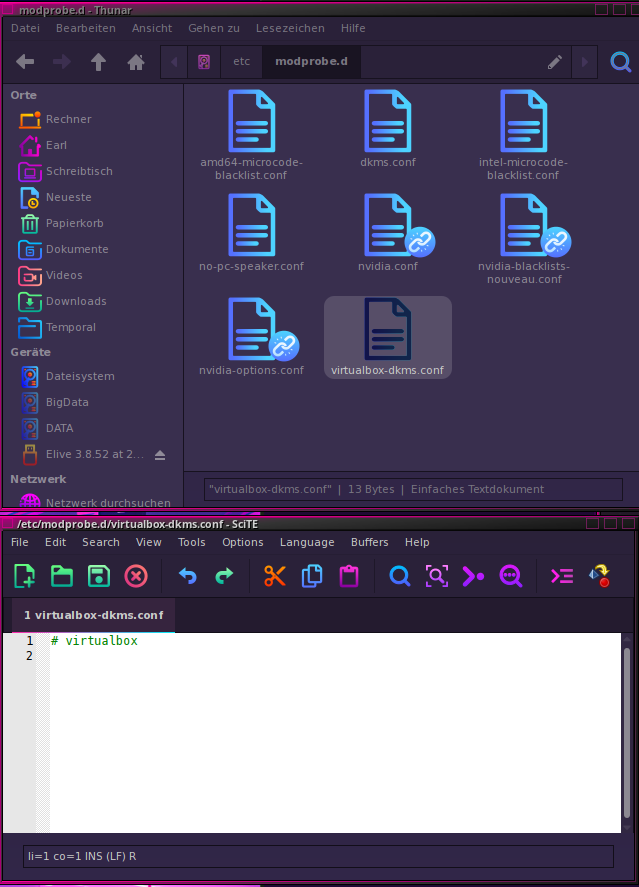
You did, with the 'tee' command. 
Ok wait, because I missed something on purpose to verify first if we needed an extra conf
try now this:
echo "options nvidia-drm modeset=1" | sudo tee /etc/modprobe.d/nvidia-drm.conf
sudo update-initramfs -u -k all
reboot, works after that ?
Yes. I saw it, but the fingers was faster than the brain 
No. Still had to do the manual tty7.
And after reboot it tells me that the upgrade was successful and so on....
you have this message (in GUI) appearing every time you start the graphical system ?
Yes. Every time.
Mmmh, I should do some new more tests tomorrow in my vbox machines... unfortunately not real machines and no nvidia
im wondering that -maybe- the upgrader tool was not upgraded when you run it  so its supposed that these bugs are fixed... basically if you rebooted your new installed .52 and run the upgrader before 5-10 minutes, the tool was not updated (and you probably triggered an old version)
just in case, make sure to always run "apui elive-upgrader" before to run the upgrader
@maxinou please wait, let me update a bit more the upgrader tool tomorrow
Yes. I can try the next time, but normally you can't force an upgrade directly after starting the system because the system tells you, that the elive-upgrader is still running. And i always do an apug and mostly a second one, before i start a new upgrade.
OK, I'd started update one hour ago, you'll receive log from HP (proton.me), I'd also started update in Acer Celeron 512 and I'd a message while installing as USB stick connection was missed.... Maybe USB stick is going to die... I shut off laptop with power key... Maybe some report will arrive to you from this laptop (ir.luis.xx) or maybe not....
I'll let HP to finish and tomorrow I'll start again both when you'd finished the work in the upgrader. I'll burned tomorrow again the USB stick to be sure is not broken.
I made a few extra changes to make sure to not show the congratulations message multiple times here, and trying to improve the TTY issue... ran a test in a vbox + systemd machine and all the upgrade worked without issues, no extra congratulations message and it goes directly to my graphical system with user logged here
So maybe @earl31515 & @maxinou wants to do a new upgrade try now
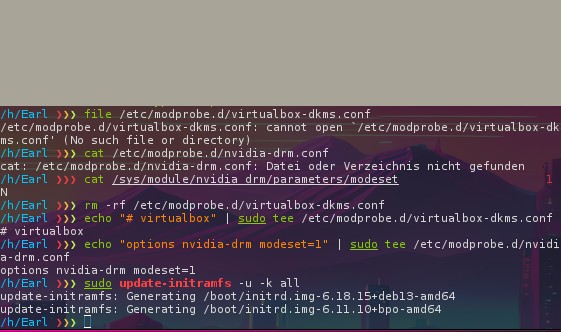
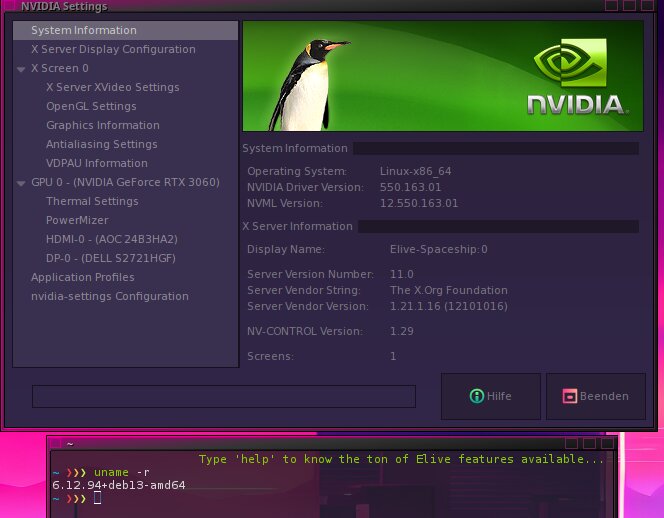
I did. And i am again in 6.18.15 with nvidia and i had to choose the tty7 manually.
But in 6.11 the grafical system started itself.
oh, that's very interesting (and strange), so its not really an issue with the upgrade or the OS but more like a driver issue
try this, just in case, first let's check this result:
file /etc/modprobe.d/virtualbox-dkms.conf
cat /etc/modprobe.d/nvidia-drm.conf
cat /sys/module/nvidia_drm/parameters/modeset
and then run
sudo rm -rf /etc/modprobe.d/virtualbox-dkms.conf
echo "# virtualbox" | sudo tee /etc/modprobe.d/virtualbox-dkms.conf
echo "options nvidia-drm modeset=1" | sudo tee /etc/modprobe.d/nvidia-drm.conf
sudo update-initramfs -u -k all
Also try installing the default and stable kernel provided in trixie which is 6.12 (make sure you have space in /boot):
api linux-image-6.12.94+deb13-amd64 linux-headers-6.12.94+deb13-amd64
Did upgrade yesterday in both HP Mini (proton.me) and Acer Aspire (ir.luis.l), first reinstall 3.8.52 both 32 (HP) and 64 ((Acer) releases. I firstly abort installer in both laptop so maybe you'd have a strange log. Then recommenced again. Live systems were OK and installed system as usual makes Thunar bug in HP and need to startx manually from tty1 in Acer (remember, both still under bookworm and 3.8.52). Strangely clock gadget show GMT time in both (not local time) without summer hour (important, see later), I didn't tests systems because I went out immediately after reinstall bookworm 3.8.52.
This morning, a half hour ago, I starts both to perform Trixie upgrade, I realizes that clock gadget stills in GMT time in both and not synchronized (1 minute different between both computers) I'd run apug and no network connection in both!!!!
It's the first time I have no network connection. Never had this issue.
Network manager from Cairo dock or menus doesn't works. Remember is in 3.8.52 and both releases (32 and 64). My network at home seems OK because I'm writing this with an old phone without Sim card, connected to my home WiFi.
I'll attend your instructions if you want I perform some particular test @Thanatermesis before do another thing.
I had this problem too with 3.8.52 in bookworm, but only if i used openrc. Try using systemd instead.
I had a similar issue on 2 machines (both systemd) and it is because 'network-manager-gnome' and/or 'network-manager-applet' have gotten lost in the upgrade, i.e no GUI version.
Conundrum: You need a wifi connection to install those packages.
So:
Normally there would be an entry for each used/known gateway in "/etc/NetworkManager/system-conections/--your-SSID-name.nmconnection" , every connection it's own file.
If you've got a device (or live instance) that can connect just copy (or type) over the wanted SSID.nmconnection-file and reboot, where network-manager will automatically login ..... creating an internet connection.
I'd tried this some minutes ago, copying file from ThinkPad in a USB stick and paste it into Acer (the file was present) and manually typing it into HP because as Thunar crash and no other file manager without network is not possible to install.
Both computers with sudo evidently.
I restart both and still no network.
I'll wait for @Thanatermesis advice before to perform a new update of 3.8.52 to 3.8.52 and always with OpenRC because it's seems as @earl31515 wrote that with systemd there are no bugs.
Edit: I see that @triantares issue was in systemd. Mine's is in OpenRC in both cases.
Looks like it's time you get some commandline skills back. 
You've got 'nano' installed by default for file editing (as well as 'vi' and 'vim')and commands like like 'echo' or 'tee' for very straight forward appending or creating files writing to files.
For file-managing there's always 'ls' or 'tree', for searching there's 'find' and 'grep' as well as 'ack' and 'less' for easy file-reading.
you can check what's installed on your machine in relationship to network-manager with:
dpkg -l | grep -i network-manager
and
dpkg -l |grep -i networkmanager
So maybe in your case 'network-manager' might be completely gone, even 'nmcli'.
Try typing 'nm' and hit 'Tab' to see what auto-completion has on offer.
There's also the option of connecting to your phone with 'bluetooth' or usb (dongle) if that has internet to share. 
Those are just solutions to get back online ..... admittedly it does not change the fact that 'networkmanager' shouldn't have been removed, in the first place..
IIRC, computer time is updated from its ntp daemon which requires internet, basically you should check your time from the "date" command to see if works good, then if you have a different time in your elive gadget clock then is a bug on the gadget clock.
on the other hand, i pushed an update to consider better the summer hours, verify if is better working now
apui elive-gadget-clock ; killall elive-gadget-clock ; elive-gadget-clock &
About the internet, seems like this only happens from openrc system ? I have not a real machine to test the upgrade in both systemd VS openrc (so, network manager using wifi), but i notied that network-manager-gnome is missing from one of the vboxes where I was trying it, maybe with openrc it is removed... I will need to do a few tests, but I have not received any report (maybe because you had no internet, hum! bug in receiver server), but if you can upload the report in a pastebin in the meantime could be nice... you have it in /var/log/elive-upgrader/
@triantares has an interesting point about the system-connections files for network manager, sometimes they are not compatible (like if your network name changed), maybe i should implement a fix for that so even if you don't have the widget it should give you internet...
First thing to try: do not install "network-manager-gnome" yet, let's see if there's an issue with the files
# allow network to be used for any user by default, this solves a small issue where after install there was no network
sudo  sed -i -e '/^permissions=/d' "/tmp/system-connections/"*  2>/dev/null || true
# allow all interfaces (wifi device names can change)
sudo  sed -i -e '/^interface-name=/d' "/tmp/system-connections/"*  2>/dev/null || true
# restart daemon network-manager
sudo service network-manager restart
The first line is not really needed, you can try first without it... but run that and see if after 1 minute you have connection to internet, if so, this means that the interface names needs to be removed in order to make it working after the upgrade (a must for everybody)
investigating...
after some tests here, I seen that the cause of the network-manager not working is becuase of its -gnome package was considered a "no longer required package" and was removed by apt autoremove , the issue only happens when on openrc apparently (and the why is a total mistery of apt), but im implementing a feature in elive-upgrader to recover them after the upgrade....