repository is 90% ready in trixie, unfortuantely the laptop im using here is too slow (it has exactly 10 years old lol) so the builds are a bit slow, but not something that can stop making this a reality
in fact I remember the first version of Elive was made from a 300 Mhz + 256 MB ram machine
Yes, I will need to upgrade my thinkpad next. I don't have my main computer with me here now.
Anyhow, stay tunned to the thread! I will give upgrader instructions later, more will come soon...
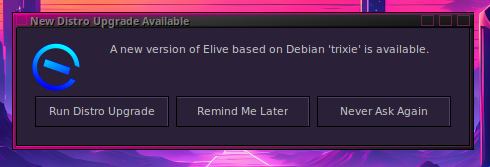
Let's use this thread to debate about our betatestings, after it is verified that works good, elive-upgrader will give it as an option to all the users to upgrade their actual bookworm machines
Bugs / TODO's remaining:
read the installer reports by @triantares about bodhi migration to elive (proton .me)
fix the many warns / errors in elive-upgrader-trixie
bodhi --> elive (eliveinstaller migration mode): not working
ubuntu 25.05 --> elive --> elive-upgrader-trixie FAIL, running out of space
audio card issue for @triantares, works on fresh debian trixie install with 6.12.101
nvidia included on elive-upgrader-trixie not works for @earl31515
nvidia must install also the firmware packages (like in the installer ? does the tool handles that?)
openrc requires to switch to ctrl+alt+f1 to "view" password on encrypted disks ? @maxinou , similar issue in @earl31515 side for graphical system that requires switch to tty7
It will work in 3 stages, basically after a stage has accomplished, it will be available to the next one
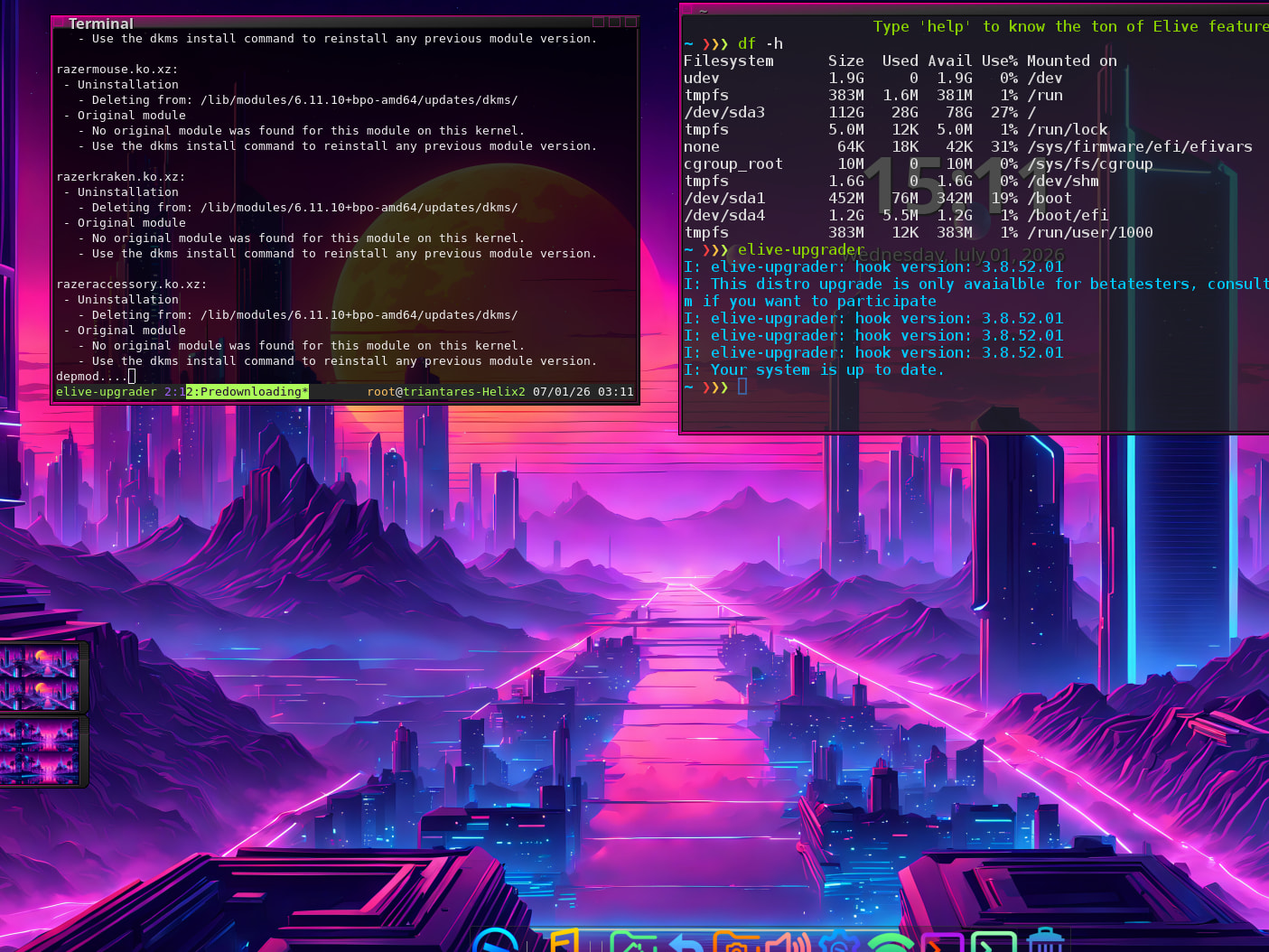
alpha: it will be only available for betatesters, so can run: elive-upgrader --betatest, to betatest the upgrade and to see that everything is working good (im the first one trying it now)
beta: stage available for patrons: it will show to people supporting elive only
stable: available for everybody else, as a way to give to the users the option to upgrade their systems
The tool is meant to give a very good quality "debian upgrade" method, with security backups, fallbacks, hooks if needed, etc...
Yes that's very good im finishing my multiple tests of the tool and is working very good
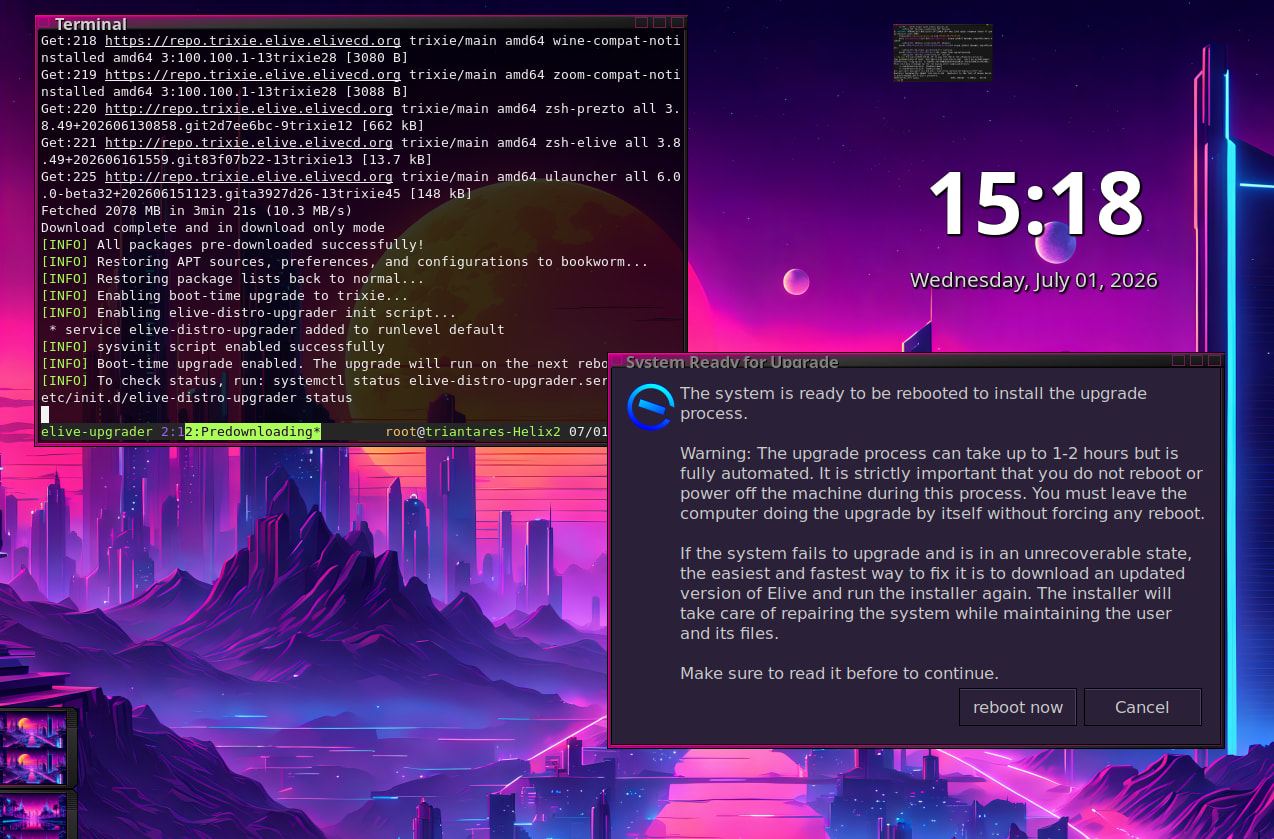
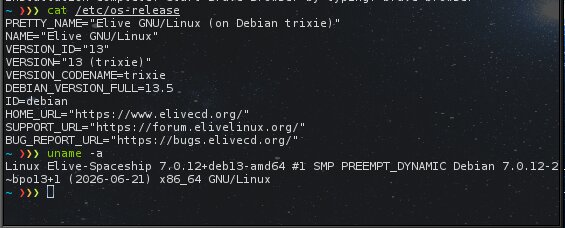
Note: if you have enough space in /boot it will also install a "latest" kernel, which I don't recommend to use because of the giant bloat happening in linux kernel 7.0
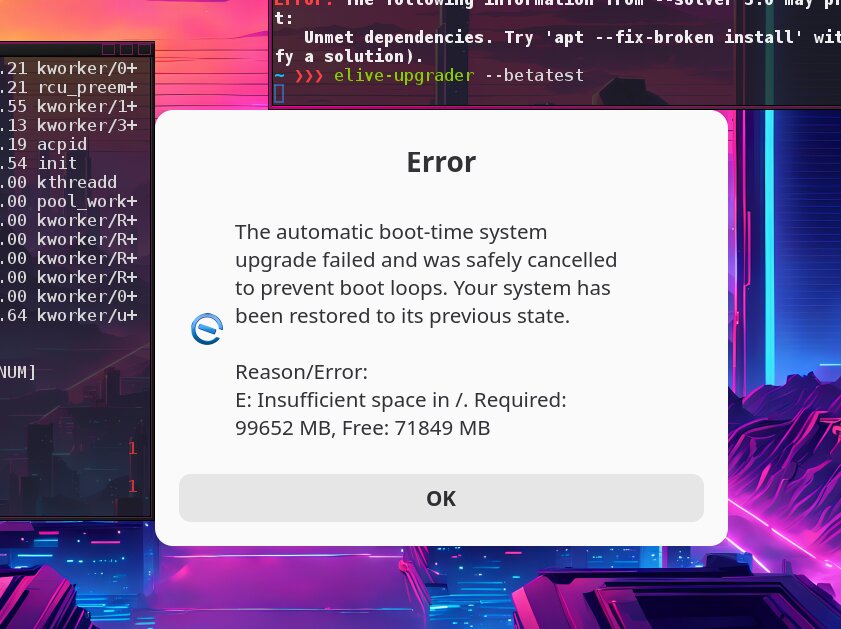
My update failed because of insufficient space in /. My disc is 200 GB, the OS used 30-40Gb, the Backup told me it uses 60 Gb and the downloaded trixie files also are 39 GB. That's not the exactly numbers, but nearly.
The end is, that the Update told me it needs 100 Gb disc space and i only have 40 Gb left so the Update stopped.
I started the PC with Windows to check the Elive Partition and it seems, that it is 87% full. So the backup worked, but didn't left me space for the installation.
So it seems a have to go back to 3.8.49, because that's the last Iso i had on the Windows-System.
The other possibility would be to kill the 63 Gb Swap partition and resize the elive-Partition, but i don't know what the existing install would do, if the swap is away, even if i don't need it because of 64 Gb RAM.
Ok. I tried. I reinstalled to 3.8.49, killed the swap partition, resized the /. and tried to upgrade to trixie. Everything went well and it upgraded and on one point it didn't get any further. I only had the e and a full scale. And i waited and waited. At some point i startet new with ctrl+alt+del and the system didn't want to boot in graphic mode.
So i tried again, installed 3.8.49 again and started the upgrade again and in the end i got the message again, that my drive space is not big enough. But to be fair, in this time o didn't delete the "old"-files.
I did this all with the proprietary nvidia drivers. Maybe this is the problem, but elive is the only distribution, i never had problems with nvidia.
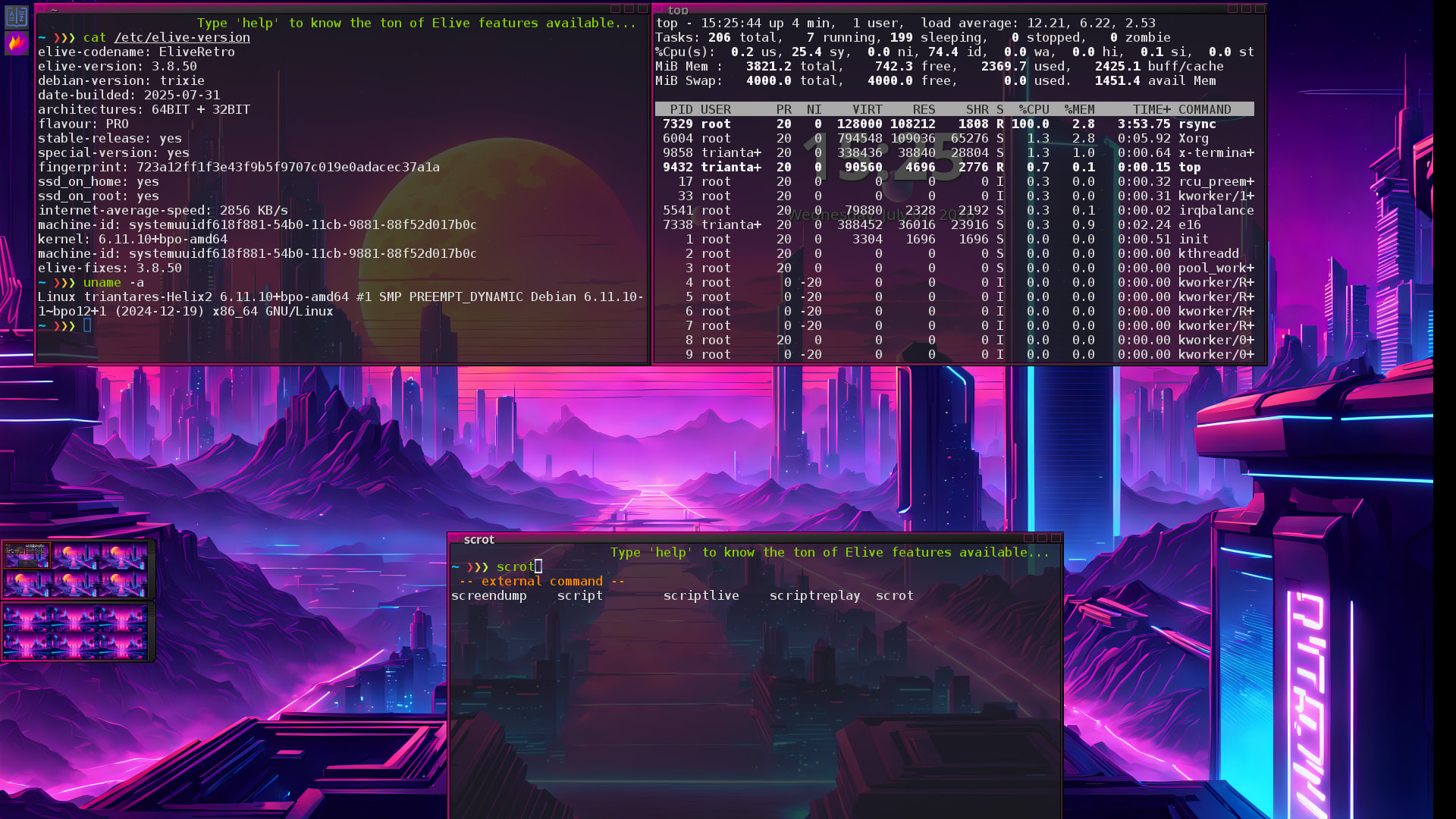
The upgrade was fast (about 7 min. which is very short IMO) and without any hitches but I'm wondering why 'rsync' is running at full speed using 100% of a CPU-core. . @Thanatermesis is that the real upgrade running?
After a reboot 'rsync' doesn't re-appear.
Also 'flameshot' refuse to work (????) so using 'scrot' now.
'smplayer' will not start either, so it looks like there's an issue with Qt applications here. After a (forced) reboot both apps DO work as they should.
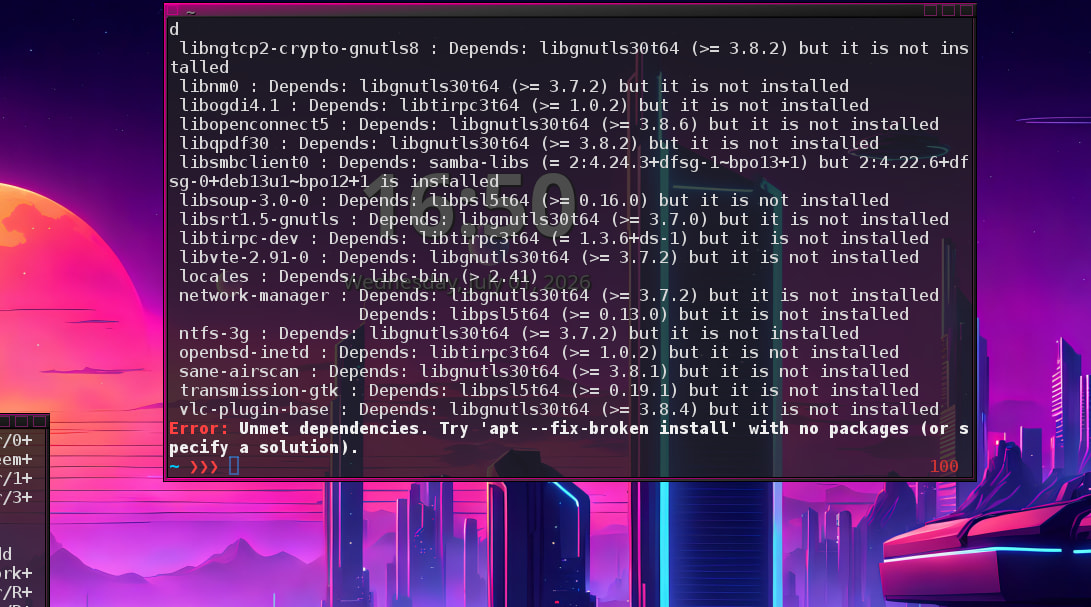
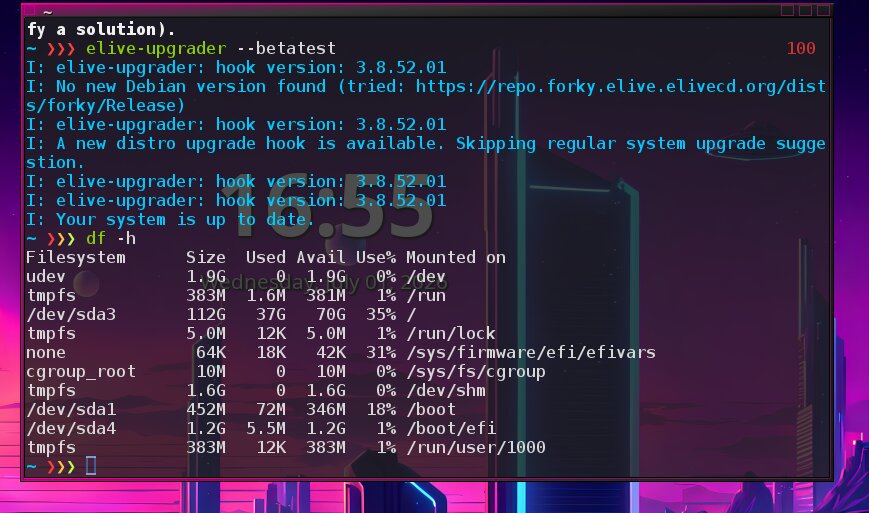
And then it all got very messy with unresolved dependencies and even 'insufficient space' and upgrader --betatest wanting to move on to 'forky' release.
I tried many times. I tried to free space and cleaned the download folder and so on. My system was to bloated. It was already upgraded from 3.8.49 to 3.8.50 and there was different programs like brave and vivaldi an whatsapp and telegram and office365 and so on...
Today i made a cut. I made a clean new install to 3.8.49 with nvidia. No upgrade this time. A clean disc. I made an apug. The system was now at nearly 24 Gb. Then I started the elive-upgrader --betainstall and everything went fine. I had enough space for the backup and enough space for the upgrade.
It worked and worked and worked and the only thing i see for hours is the stylish e and a full loading bar. The only thing moving are the grafics around the e.
I went to the kitchen and made dinner for the family. After cooking and eating i went back to the pc and nothing has changed. Still the e with the full loading bar.
I don't have a slow PC it's an Alienware with an Intel Core i7 and enough RAM to install elive on RAM. But no, it takes it's time.
I couldn't wait anymore and cancelled with ctrl+alt+del and rebooted. And wow. I got a start menu where i could choose the new kernel with 7.0.anything. But the system stopped and couldn't load the kernel.
Next time i do the same, but i let it run over night. May be i am to impatient.
I did a betatest upgrade on an older Thinkpad X1 Carbon (i7-5600U) with 400G free space and 28G in use.
on an encrypted partition and with 'systemd' and E27.
It actually worked quite well and after about 2 hours it was done. Rebooted and it got stuck on 'plymouth' (the boot screen with the E) like yours.
I hit Escape to see what it was doing (which was indeed 'plymouth' waiting out indefinitely) so:
<Ctrl, Alt, Delete> to reboot and this time it booted cleanly into a fresh Trixie based Elive.
The only problem is, that it starts with the displays in wrong order and when i correct it, then the mouse pointer is on one monitor and the click is on the other monitor. But it works if i change the desktop to tty1 and then back to tty7.
How can i start the desktop-layout-script automatically to avoid the funny monitor trouble?
The startmenu offers me both kernels. The 7.0 and the 6.11. To this moment i only tried the 7-Kernel. Maybe the 6.11 is faster. One time i may try.
I tried three times on my PC, but I didn't have enough disk space. So I tried using VirtualBox; the updates went fine, but I keep getting stuck at the Plymouth screen. I’ve restarted the machine three times, and it still gets stuck at Plymouth.
Just upgraded my work-horse Thinkpad and all went very nicely.
Other than, like others have already said: Plymouth hangs indefinitely on first boot into the new system.
Hitting 'Escape' shows that on tty1 and a 'Ctrl,Alt, Delete' there does a 'clean' reboot and it all works fine booting into my E27.
Other than the plymouth thingy, no hitches whatsoever ...... a great way to upgrade.
This way of upgrading also keeps all my installed 3rd party applications intact, as well as my customizations as they were. Which makes me very, very happy.
I'm redoing the installation, and this time everything looks good. I'll test it out this week; I'm going to clone the Elive Trixie VirtualBox setup first. You never know—knowing me and my screw-ups... Have a great weekend, everyone.
I'm running Elive Trixie on PS4, and it works very, very well. Once compressed, the tar.xz file is only 3 GB and fits on a 15 GB partition. Many thanks for this update.
elive-upgrader has been updated with some improvements to incrase these "minimum space for backup" numbers... hopefully working better for the next time
ok let me understand... so the upgrade worked fine in everything and the problem was when starting the graphical system ? (yes this can be because of the nvidia drivers... the tool has not the privative nvidia drivers featured, I should implement it...
you can actually run the installer of the privative nvidia drivers in any moment in elive, you just need to boot your system and having access to a console tty (no graphical system) where you can install them with the elive tool to install nvidia drivers
that should be for the backuping of the system
known bug for the DISPLAY variable afecting mulitple apps, it took me a while but its fixed now if you "apug" your system
interesting, smplayer works for me
UPDATE: yeah seems like your system was broken, as we can see:
the strange thing is that your system "correctly" upgraded but was left in a broken state, why?...
you have LOGS in your /root about the upgrade, check them, there should be the reson in there, so its important to know what happened in order to solve it
forky detection was a bug checking the existing elive repository for that version: fixed
_note: for this case, it will tell you that there's no new versions to upgrade because you are already in trixie, its just that your system upgraded broken... we need to see what happened in your logs
question: so does elive-upgrader restored to bookworm correctly ? (never tried that feature in fact)
I know this, it was an issue in e16 that I was working for a few days but it was finally fixed, the -actual- packages should work without issues now, you still have the issue ?
Seems like you were doing tests while I didn't finished to work on elive-upgrader to make it working the previous week , thats why it worked that time...
Since you mentioned "feeling slower" and have this strange graphical bug, I assume the problem is with the nvidia drivers... try to install the privative drivers? I think this howto should be summarized but you have it here (basically boot without graphical system and run the tool, everything is guided): Nvidia Privative Drivers installation . Keep me updated for the nvidia drivers (not implemented yet in elive-upgrader)
So, do we have the plymouth bug ? I didn't tried the upgrader since the last time i made it working around 1 week ago (anybody can do its betatest in virtualbox too), I should finish to implement a few things and do a new betatest
@earl31515 : if you want to test a new full upgrade including automated nvidia instalation (this is absolutely not tested here, since I don't have the hardware) you can do it by:
install an elive bookworm
run this command:
sudo su
echo "nvidia-privative: current" >> /etc/elive-version
run elive-upgrader --betatest
so the new upgrading to trixie will be run, hopefully without any bugs in the last version, and your privative nvidia drivers requirement should be detected and proceeded to install them (which is a delicated step because if it doesn't compile for the newer kernel... )









 you have LOGS in your /root about the upgrade, check them, there should be the reson in there, so its important to know what happened in order to solve it
 , thats why it worked that time...