I am at work now. Maybe i will find time in the evening for that.
@Thanatermesis you should be getting a betatest upgrade log now.
no errors shown but machine stuck on "disabling elive-distro-upgrader service".
Will do a Ctrl,Alt and Delete soon.
After which it gets stuck on "cleaning up upgrade state and disabling boot services", I will wait this out for a while but am getting distrustful.
doesn't look good to me and I've no way of monitoring what it's doing.
At least there were no RO errors this time.
3 fingered salute and it boots into 6.11 ...... no grub menu again and the popups keep coming. 
Removing the 6.11 kernel (as there's no audio with it) so it will boot into 7.1
AND ..... Booting with 7.1 gives hardware audio output, so that is that. 
Now for the reboot/grub stuff.
A shutdown goes terribly bad requiring a reset with a pin to actually stop.
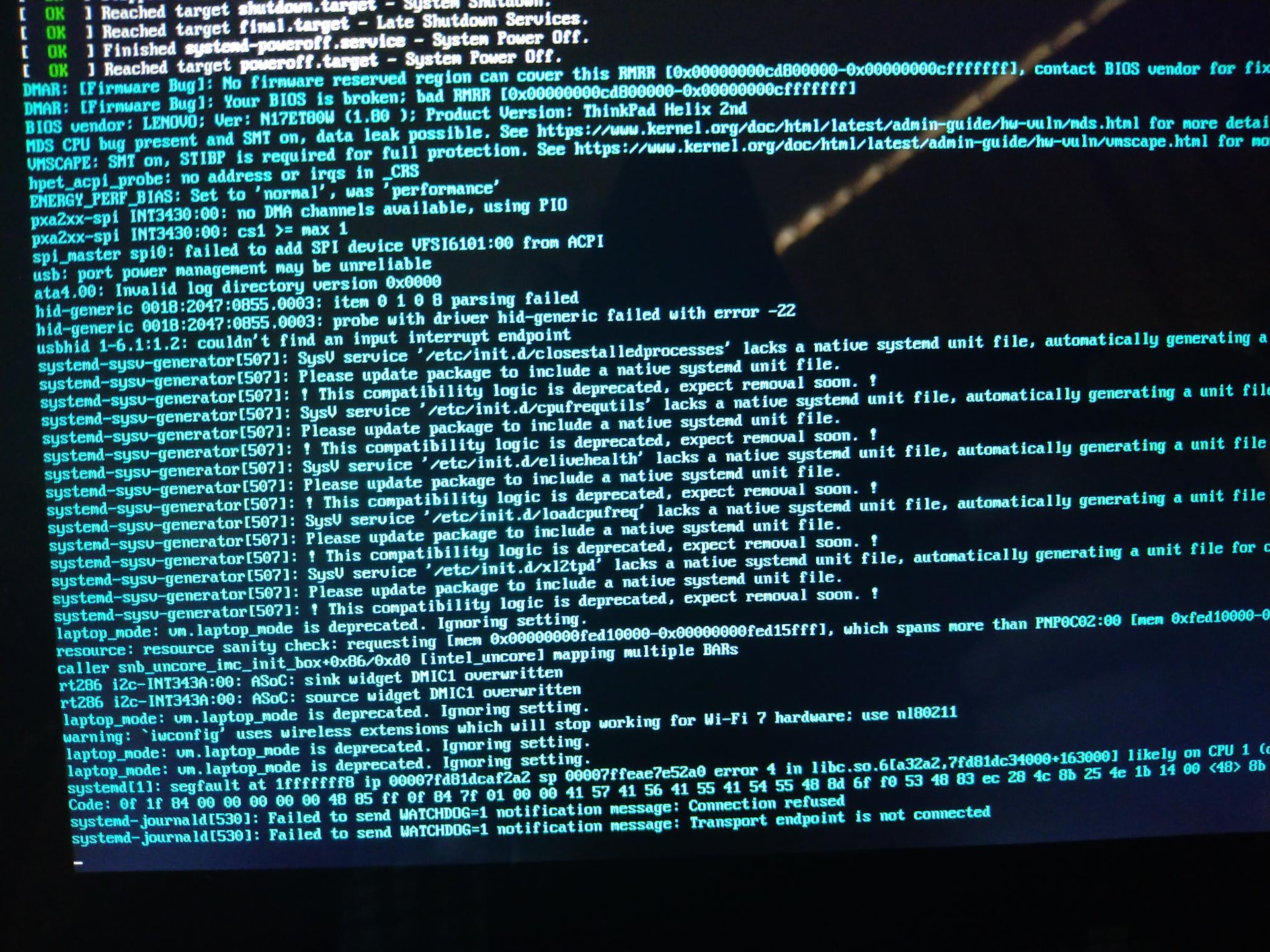
your machine confuses me a bit, it has errors only happening in your side... like, everything goes good reading the logs until some moment that appears this:
Removing libfontembed1:amd64 (1.28.17-3+deb12u2) ...
dpkg: error: parsing file '/var/lib/dpkg/status' near line 5735 package 'elive-menus':
 first (want) word in 'Status' field: has invalid value 'instanl ok installed'
dpkg: error: parsing file '/var/lib/dpkg/status' near line 5735 package 'elive-menus':
 first (want) word in 'Status' field: has invalid value 'instanl ok installed'
E: Sub-process /usr/bin/dpkg returned an error code (2)
E: Sub-process dpkg --set-selections returned an error code (2)
E: Couldn't revert dpkg selection for approved remove/purge after an error was encountered!
  [ WARN ] Package overwrite conflict detected. Forcing dpkg configuration with overwrite...
W: Package overwrite conflict detected. Forcing dpkg configuration with overwrite...
  [ WARN ] Command failed (exit code: 100): apt-get full-upgrade -y -o Dpkg::Options::=--force-confdef -o Dpkg::Options::=--force-confold -o Dpkg::Options::=--force-overwrite --allow-downgrades --allow-remove-essential --allow-change-held-packages -o APT::Immediate-Configure=0 -o APT::Force-LoopBreak=1. Attempt 1
 of 5. Error: dpkg: error: parsing file '/var/lib/dpkg/status' near line 5735 package 'elive-menus':
 first (want) word in 'Status' field: has invalid value 'instanl ok installed'
E: Sub-process /usr/bin/dpkg returned an error code (2)
what? "instanl" ?  the "l" was changed to "l" without reason. There's no instanl in the source code and you are the only one to have this issue... why ? only one thing comes to my head: hardware issues (altering your bits), or you are in an area prone to many cosmic rays
  , or microwave, who knows...
At this point i suggest checking your hardware (especially RAM, and then CPU), following this howto: How to verify for hardware problems, keep your computer healthy
Oh, and you should fill your HD full of zeroes if you didn't do it before the auto upgrade, run smartctl with "on" and then fill it with zeroes, then install auto parted
Mmmh, everything else in the logs looks OK and correct.
Does your "apif" shows something remaining to install ?
using openrc ? make sure to always "apug" when you have a bug, i yesterday fixed something about treboots
but in short it looks good, you have only a few issues on your side but first as said i would look into hardware health first. After to confirm (and/or) repair your hardware issues, you can see what is happening on your side that makes you: cannot reboot/shutdown (seems like it works in other openrc machines) and why grub doesn't shows up (this can be simply a wrong configuration / compatibility in your side, try to edit your /etc/default/grub to see)
No, this is a systemd machine, it is encrypted though.
To be fair; on Bookworm on my other laptop, shutting down was similarly hard. Since Trixie those issues (also the mount/unmount issues) have gone.
Anyway subsequent reboots just work now ...... no idea what caused this freeze.
As to the hardware: This has always been a strange machine, IIRC at first it needed certain 386 packages to boot(even though it was a 64bit machine) which got "repaired" and then the soundcard issues.
BTW I still do get the welcome-widget pointing to the logs as well as the subsequent patreon-widget on reboot. 
This issue of grub-menu not showing is strange though. I did check all the grub settings and they are all as they should be.
Ok. I did a new install and upgrade and it was funny to see how the kernel 7 always failed with nvidia and tried a new deeper kernel.
I am in the grafical system with kernel 6 and maybe the problem is not the kernel but the version of the driver, because with a newer driver it worked.
Updates: fixed the displaying of "congratulations" in each reboot (only for the new upgraders), if you want a fix delete /var/cache/elive-upgrader , but better to upgrade again
can be plymouth, keep an eye on it, i was trying it with openrc and it worked but the 30% of my boots didn't reached the graphical system (very strange that works sometimes) - vbox
yes, do all the hardware tests of the howto to see if there's anything failing on it
check my first line, but it doesn't makes sense the patreon one, unless your system is again in RO (thats easy to verify, with dmesg or "touch somefile
this is a common issue, when a kernel is very recent, the driver is not compatible (so doesn't compile), that's why you have seen multiple attempts to compile it with a "lowered version of kernel", just as expected but, it was not fully working... I see in the logs that nvidia was removed for kernel 6 (where it compiled correctly), so i assume your graphical system didn't worked because of tha
not exactly, as said before, there was a bug where it removed nvidia for your kernel 6.11 too later... fixed now:
UPDATES for the upgrader:
- included "stronger lowered kernels" to try to compile with, so you should have nvidia also in a kernel 6.19, 6.18, etc..
- nvidia drivers will be not accidentally removed (it was a bug) for the working kernels (6.11 on this case)
- dkms packages will be not removed too (same bug, accidental removal)
upgrader ready, next test hopefully working this time, directly giving you 2 kernels and nvidia in both
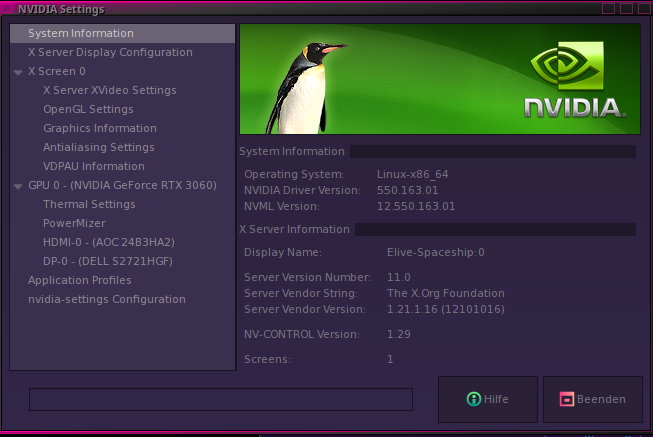

The upgrade did it's job and it worked it's way down to kernel 6.18.
I am in the grafical system with 6.18, but again i had to choose tty7 manually.
Enough for today. Good night.
Done, the machine is in perfect order.
First thing I did and 'touch' simply wrote the file, everything is writable.
Yeah, they're gone now but why this happens here is beyond my knowledge.
That was just a bug remaining in the elive-upgrader (it happened too on my vbox machine). Ok so now the upgrader tool should be perfectly functional with all bugs fixed (hopefully), I suggest you to follow these steps now:
- boot in .52 live mode
- fill your HD full of zeroes with the command dd if=/dev/zero of=yourdisk bs=4M ... this will help repairing any unhealthy inode in the disk that can trigger RO issues
- reinstall .52 with auto partition mode
- reboot, use, play/betatest, and finally upgrade to trixie
- after some days to verify that all works good, you can try to switch to openrc
- IF you have again any "RO" issue or some strange error, is important to verify (before rebooting) what is happening, using "dmesg", analizing logs, etc. etc.
The tty's issue should be fixed now if you upgrade again. I think and I hope this is the final and stable version of the upgrader with everything working this time
zenity gave many problems in the past and required multiple patches by elive to make it working correctly, now is even more shitty
So yes, planned full migration to yad and zenity erradication

Yes it seems that Thunar doesn't crash e16 under Trixie.
Neither N2600 nor Celeron 512 haven't Cairo-dock after upgrade, live system works fine always, at all releases. No bugs never in live system.
Not completely, in ThinkPad that runs Trixie from 3.8.50 since some weeks ago with OpenRC a screen asking password is showed while booting. The bug seems related after upgrade Trixie from 3.8.52 both in 32 and 64 bit releases.
Strange, its seems that installer sent you twice logs (or maybe it's me making a mistake with mail addresses) normally ir.luis. are logs from Acer, proton.me are logs from HP (32 bit) and gmail logs came from ThinkPad..... Anyway yesterday Synaptic show me that Cairo dock weren't not installed in both Acer and HP Mini, I'd installed both and start manually from console without problem.
After apug it's seems solved, effectively.
Cairo dock failed in both Acer and HP, tonight I'll sent you logs from both computers before upgrading again tomorrow.
In fact I needed to do "ESC" to see prompt asking password in both computers. Tonight I'll install Plymouth and tells you the result in both computers.
I'll take a look and tell you the result.
As described I need to use ESC key to see prompt asking password (not Ctrl+Alt+F1 as I wrongly wrote
I'll perform all tests asked before and then I'll upgrade again both machines. Probably tomorrow or next weekend.
Sorry, but no. I made a new install of .52 and upgraded after an apug and again i am in 6.18.15 and had to choose tty7 manually. But to be fair, it's with running nvidia.
I know that there is a problem with nvidia 550.x and kernel 7. But it works with newer drivers. I already had an elive with nvidia and kernel 7, but with the driver from nvidia repositories (660.x).
your upgrade was from a pretty older version of elive-upgrader, which had a few quite amount of small issues that has been fixed, I suggest you to reinstall .52 and then upgrade to trixie using it again, you should have cairo-dock and other things fixed after that
yes, it should be fixed too, with a new upgrade (this one is not-tested)
don't worry, is too late now to check for these old bugs (they should be all fixed right now, hopefully!)
yes, you got a broken / uncomplete upgrade, that's why, reinstall + upgrade again and you should have a working system : )
no need, just reinstall .52 and + upgrade again
I mentioned this in another thread Touch-screen functionality for tablets - #3 by triantares
and might be a reason for all the "blind"mayhem:
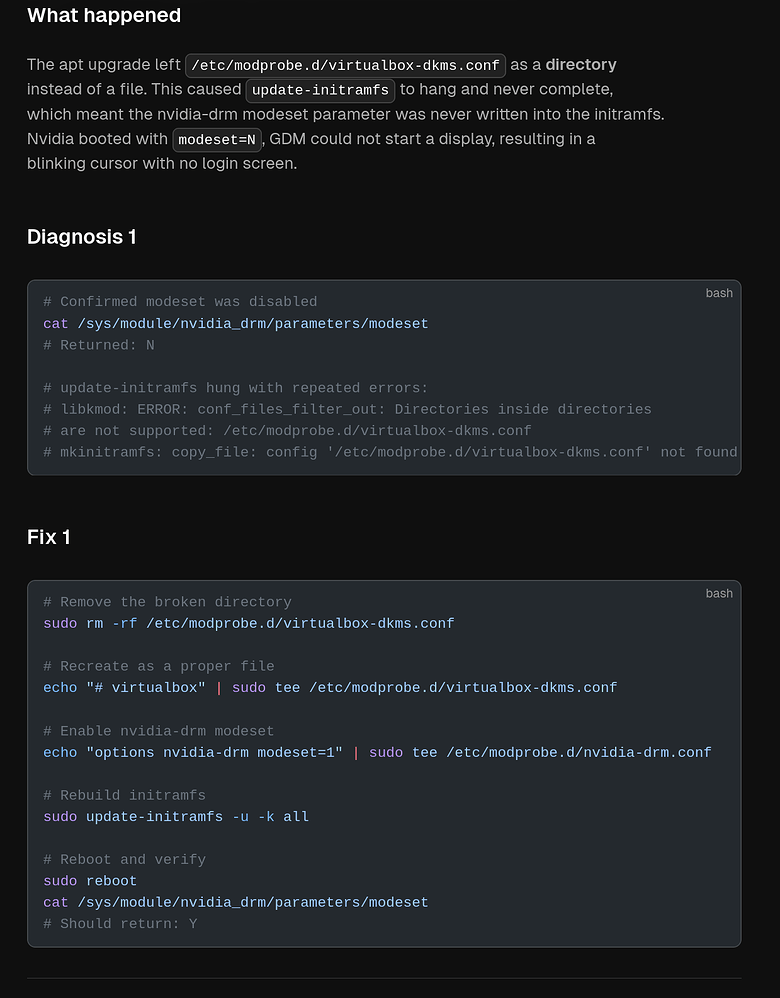
good news for nvidia but we still have the tty one remaining, hum, show me the result of this in your side:
~ ❯❯❯ sudo systemctl get-default
graphical.target
~ ❯❯❯

~ ❯❯❯ sudo systemctl status lightdm.service
...

~ ❯❯❯ sudo systemctl status display-manager.service
...
About nvidia versions: they come from debian backports, and is common that they are not always the last ones (sometimes yes, sometimes not), but after long experience is better to just wait until they are published in debian because they include a correct integration with the system less prone to bugs, so if doesn't compile in the last kernel, is better to use a previous kernel while waiting. So yes actually you have a 6.18 with nvidia running
We only need to understand now "what" is stopping your system to automatically switch to the tty7 so if i understood good, when you swith to the tty7 the graphical system is already running and ready there, mmmh... I have added a few extra fixes on the upgrader for that but let's first try to know what is happening in your system
Ok so the previous post of triantares has found a possible cause to your Nvidia issue (nice catch!), seems like its a bug somewhere. Since @maxinou had a similar issue I assumed the upgrader had an issue with the TTYs but probably is not the case (now, waiting for @maxinou new upgrades )
@earl31515 try this first:
sudo rm -rf /etc/modprobe.d/virtualbox-dkms.conf
echo "# virtualbox" | sudo tee /etc/modprobe.d/virtualbox-dkms.conf
sudo update-initramfs -u -k all
Reboot, tell me if works, it should at least reach the graphical system, but do you see the "plymouth" graphics at boot too ?
And then also give me (after reboot) the result of these 2 commands:
cat /etc/modprobe.d/nvidia-drm.conf
cat /sys/module/nvidia_drm/parameters/modeset
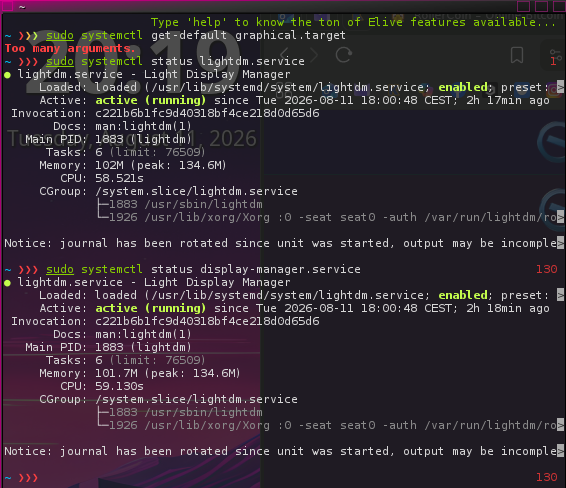
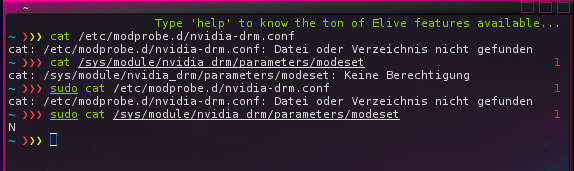
Actually that would imply that 'nvidia-drm.conf' wasn't created by:
echo "# virtualbox" | sudo tee /etc/modprobe.d/virtualbox-dkms.conf
or either the update-initramfs command.
Maybe do a manual check if the file exists.