yes, but before to reinstall, check your logs in /var/log/elive-upgrader/ , we need to know first what happened in your upgrade
and try the package i told you to try for your audio card, to see if sounds better
yes, but before to reinstall, check your logs in /var/log/elive-upgrader/ , we need to know first what happened in your upgrade
and try the package i told you to try for your audio card, to see if sounds better
Maybe i make you angry, but i couldn't wait and i am curious. I installed 3.8.52 with systemd again, because the install with openrc had no networkmanager and also iwconfig and iw and nmcli wasn't there to get an internet connection.
The upgrade looked wunderful and after the reboot i had a grub with both kernels like excepted. But also without nvidia i had no grafical system on both kernels. Only a blank screen. And at this time i had no chance to get a terminal to try to reinstall nvidia.
I can all do again with nvidia if you think that it will work...
Both packages have always been installed on all versions
I think that's not very relevant.
I ,mean this was Debian converted to 3.8.50 and wouldn't boot then upgraded with the 3.8.52 live iso and when that booted the betatest upgrade to Trixi-base ,,, which doesn't show grub.
Doing a fresh 3.8.52 install using the whole disk as new, which would also install the firmware anew (I think) and then finding out how that handles the audio hardware, makes more sense.
@earl31515 im reading your report now (yes, received good this time) and indeed all looks to be good, but nvidia was not detected or installed, mmmh
about the blank screen, try to boot without the parameters "quiet splash" from grub, it may give you access to terminal
try installing:
api alsa-ucm-conf
is this one, if im not wrong, and will be included by default in trixie installs
maybe i should include in the upgrade too  - done
yes, better start fresh with a .52 install and we will see what is happening htere, strange issues, better retry fresh
Like I already said: Both packages (intel-firmware and alsa-ucm-conf) were installed on all versions of Debian and Elive.
I'm keeping my fingers crossed about what it's going to do to /boot/efi.
As you said: With upgrades the partition isn't changed
but with an automated partitioning it will, I suspect.
yes, full erase of disk
I killed the quied splash in grub and i saw more, but the result was the same in both Kernels. A blank screen with no possibiluty to get a login screen on any terminal.
I try a new install with nvidia again.
@earl31515 I just updated elive-upgrader with more debug information for nvidia cases... but yeah, basically you must had nvidia installed previosly (by elive, from elive-installer) for it to be considered to be installed in your upgrade process, otherwise it would be not included
looks like there's an issue with openwrt.org connection but upgrade --betatest is still chugging on. 
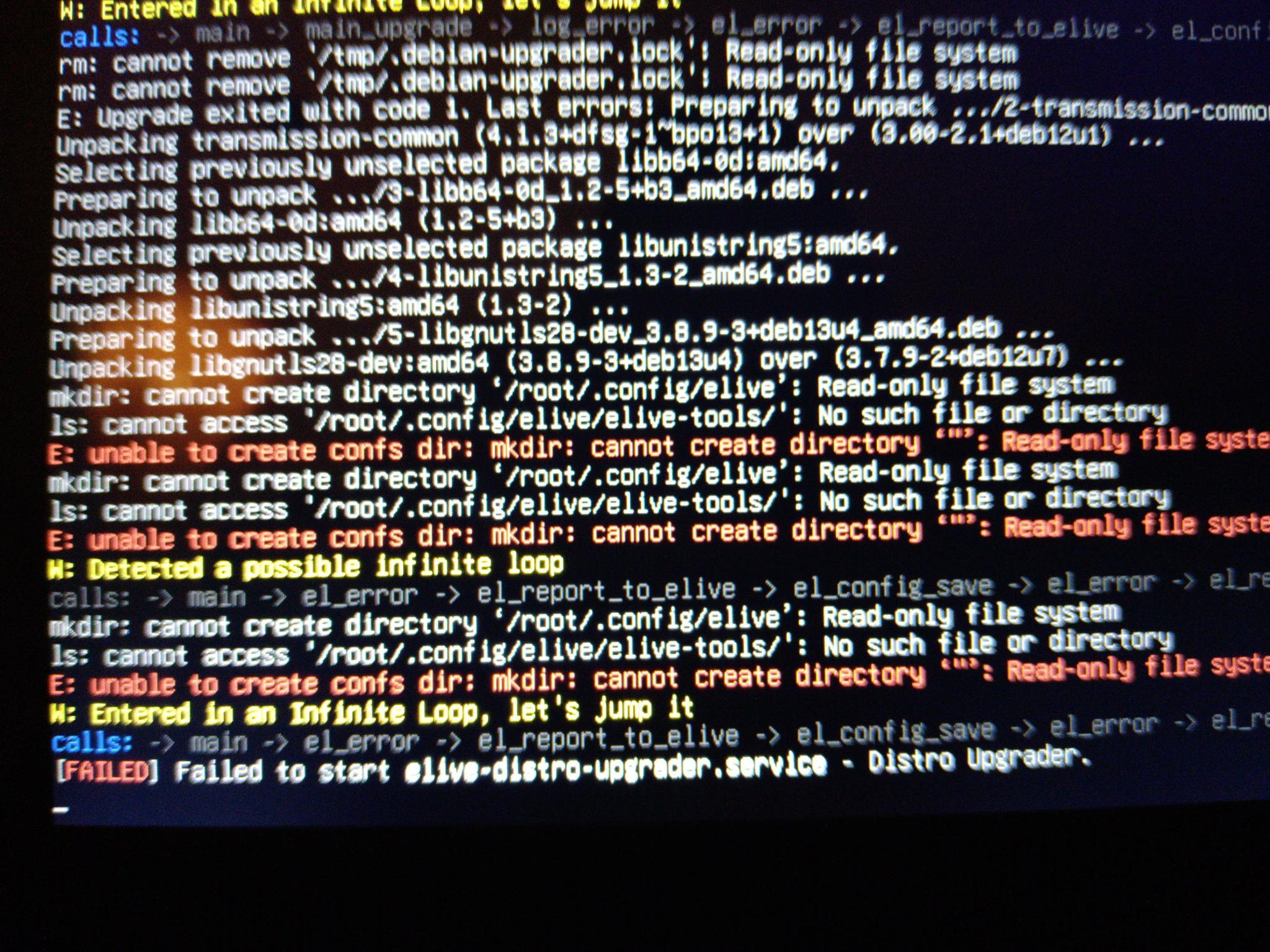
And it fails with a lot of red warnings. 
End of story, alas.
Either there's something wrong in the upgrader or ...... my disk is dying. 
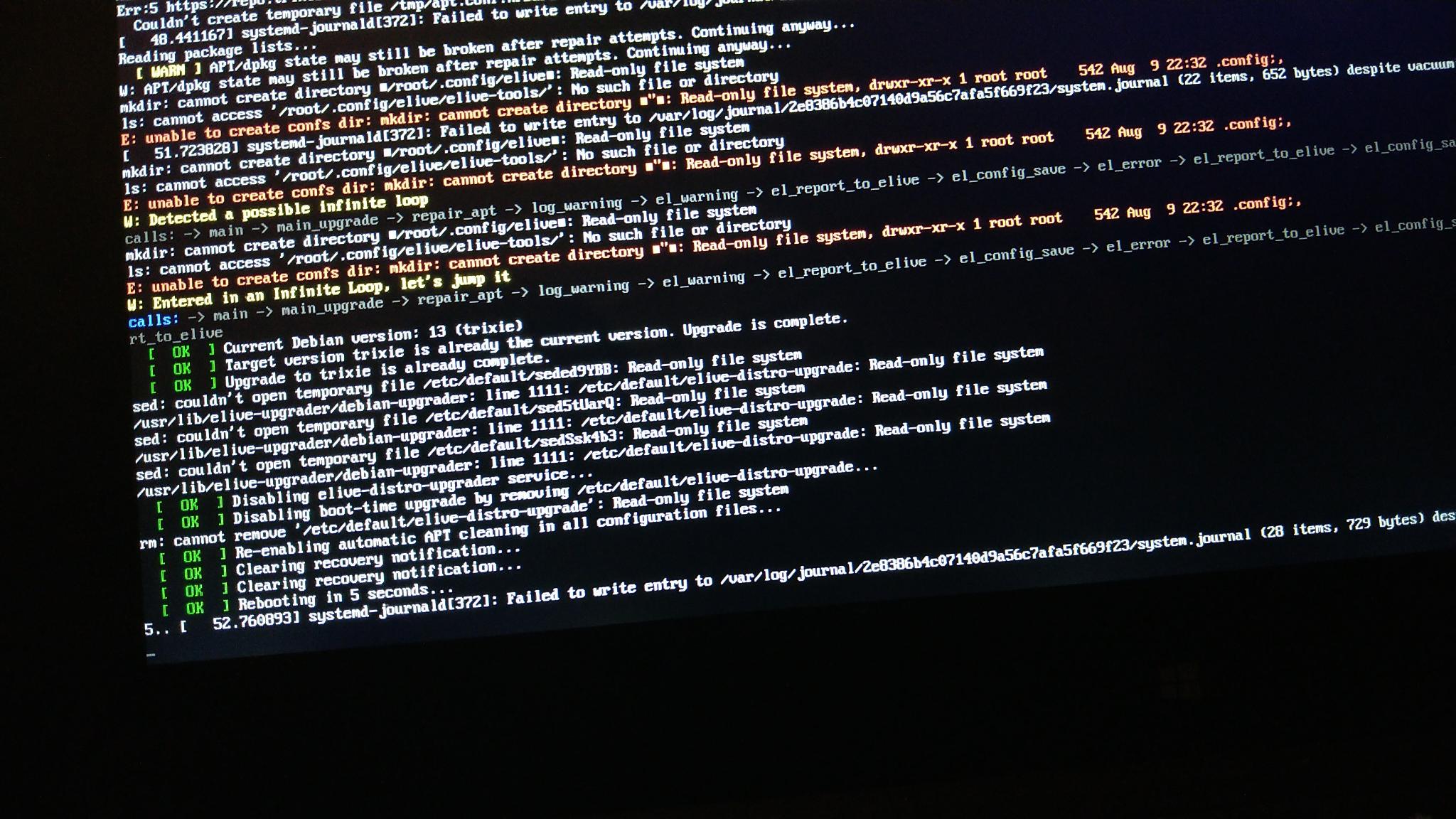
After which my machine goes into an infinite reboot loop.
There definitely is a read/write issue.
Cutting the power now and calling it a night. 
I am ready. I did the Upgrade and got the blank screen again, but on kernel 6 i had the terminal. So i entered the nvidia-privative... But it only showed the missing Module like before.
So i dried to install the newest driver from nvidia and it also didn't work out. But after that i tried the nvidia-privative-Order again and it did anything.
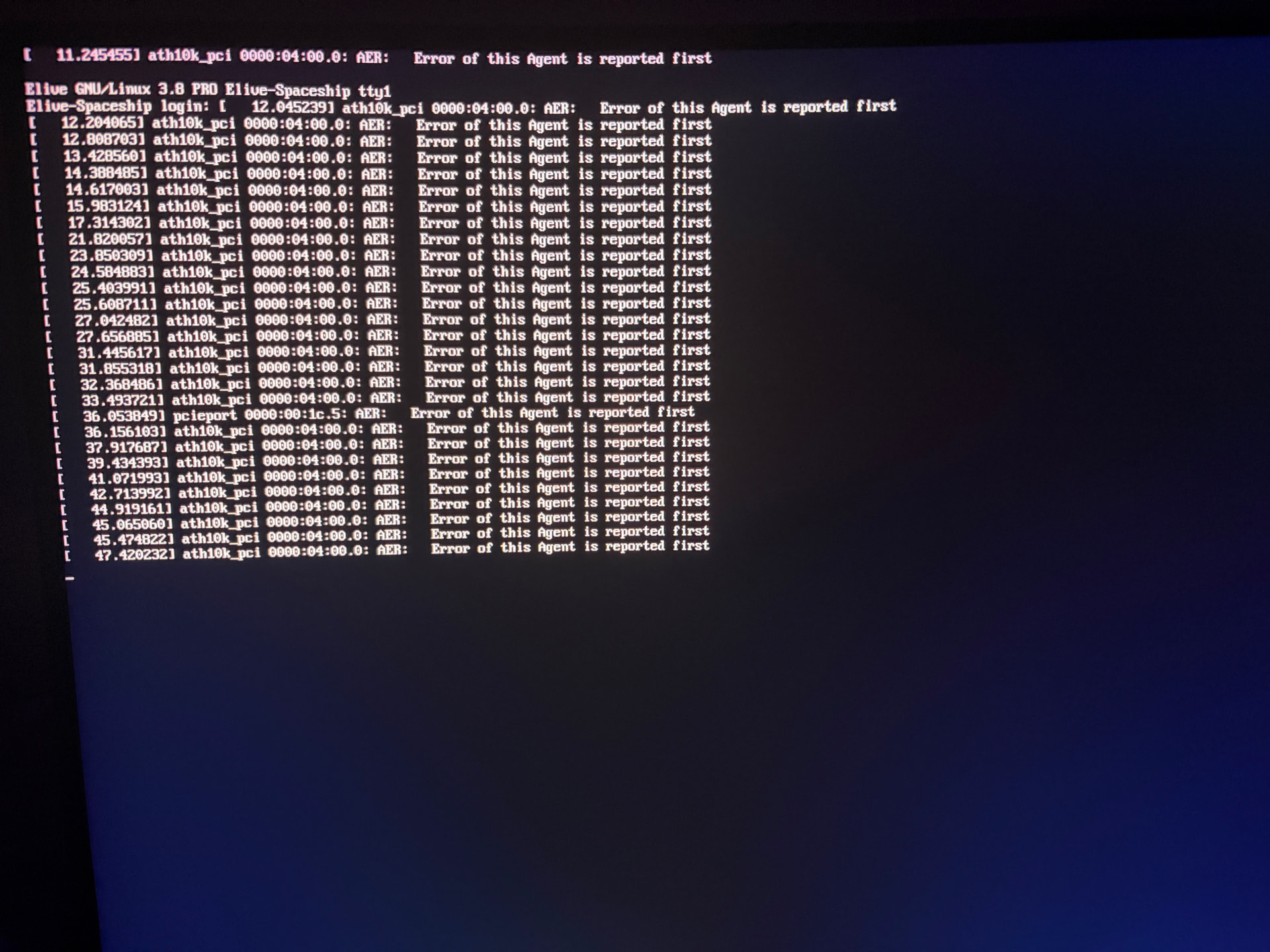
But both monitors went off and i had to make a hard reset. After that the screen was like this:
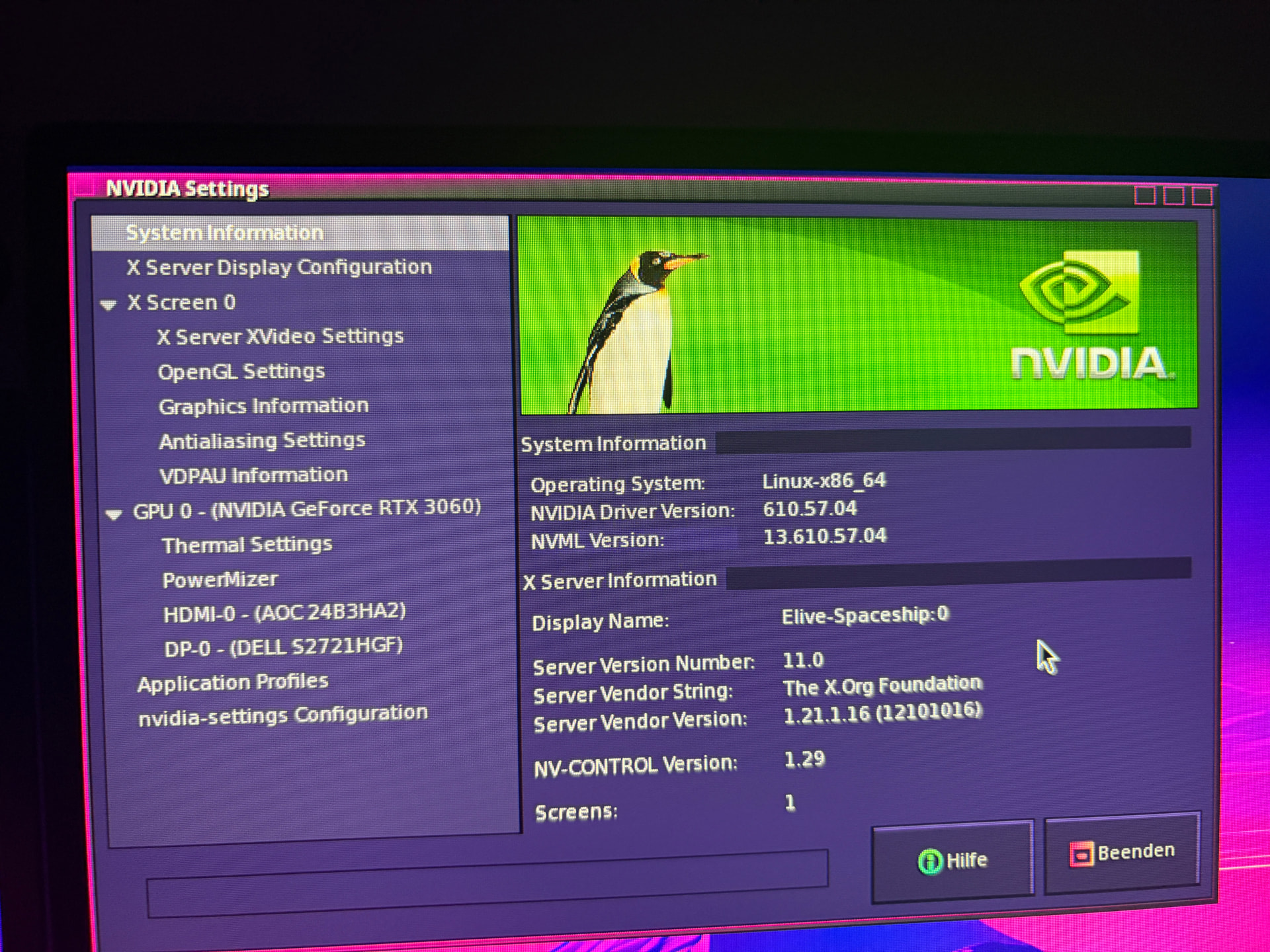
But I could manually change to tty7 and i have a grafical system with nvidia:
It's the same in both kernels. I have to change manually to tty7, but it works.
Good night from me too. It's to late again.
interesting, it was in fact RO, and that's very strange... i dont think in a reason that the OS or the upgrader would do that
I would start by checking your HD, it is possible that is dying... open gnome-disks and search for the SMART data to see its health, alternatively you can check it from cli when sometimes doesn't appears in gnome-disks. Tip: when your system starts doing strange things (becoming RO), run "dmesg" to see if there's any useful message, or do a grep of RO and read-only keywords in /var/log files
What I would do: first, check your hd health as said before to know if the issue is the disk. After you finish that, fill your HD entirely with zeroes (this makes the disks healthier many times) and do a new full install with auto partitioning of .52
So you and @maxinou has a strange issue where the TTY is in a wrong location after the upgrade, im right ? (@maxinou needs to go TTY1 for insert hdcrypt password, and you for go to the graphical system), mmmh... are you using OpenRC too ?
BTW for those who has problem, let's try first everything with systemd and after there's no bugs anymore we can try openrc since is less tested and can be more uncompatible or have bugs
So wait, you have nvidia working now.. you were able to install them manually from the commands i told you ?
Yeah but first it would have to be usable and bootable. Will have to work from a live disk, no other option.
It's an ssd so it could be there's age kicking in or simply a fluke. Alas, those kind of disks aren't very repairable. 
@earl31515 Very good and useful logs received this last time !  , I can see that nvidia has been correctly: detected --> removed old --> upgrade --> reinstalled nvidia... but then: seems like it built correctly for kernel 6 but failed to build for kernel 7. So mmmh...
Basically in your actual upgrade: if you booted with kernel 6 you have nvidia correctly working, but not if you boot with kernel 7 you will not have nvidia (and thats probably why the blank screen)
Maybe this was confusing with you because you needed to manually go to TTY7 like @maxinou , but why the TTY thing is happening ? maybe because you are using OpenRC ?
Update: now the upgrader tool has been improved by maintaining ONLY the kernels which had nvidia correctly re-installed
Update 2: it will attempt to install pre-last kernels to try installing nvidia again on these (7.0 on this case since 7.1 has failed)
yes you can do the disk verifications from live mode too, the "smart" data is saved on the disk and not in the OS
and yes if the ssd is old/broken (just veirfy that is really broken) the best is to replace it
updated packages will be available in 15 minutes...
Running live, 'disks' shows no issues or damage and even allows reformatting the Elive_OS partition to ext4 so ....... I'm getting wary of brtfs.
Up till now it was all ext4 partitioned.
Will do a fresh install but on the ssd and see what happens.
If the drive is broken, the installer should report it methinks.
On a side note:
It would be nice if the automated partitioning gave the choice between ext4 and btrfs.
No. I had to change to systemd because with openrc i had no network.
Yes. Nvidia is working, but only after i installed the new driver from the original nvidia repositories and after that your command with nvidia-privative...
Before nvidia-privative... only told me that there are modules missing.

yes but first the installer needs to know how to get this information (its already implemented in fact, but maybe don't recognize your messages / case),
for example badblocks are detected with:
HD_DEV_BADBLOCK_SECTORS="$( LC_ALL="$EL_LC_EN" smartctl -s on -A "${HD_DEV}" | grep -iE "Reallocated_Sector_C" | tr ' ' '\n' | grep "[[:digit:]]" | sed -e 's/[^0-9]*//g' | tail -1 )"
yes let's try fresh, if you still have errors, try to use these tools and/or read your system logs messages. Try with systemd first too (you can switch that later)
no no, don't use official nvidia repositories, the elive tool to install nvidia should do a better and more stable work (also, its the way to install nvidia in elive so it MUST work on user's side, otherwise elive will not work on nvidia machines and this is very bad)
yes i think that this bug is solved, the cause was the .xz extension, if you try again the nvidia installer tool of elive in 15 minutes after doing "apug" it should work now... but now the problem is that you used the nvidia official repositories (they should be never used because there's no way to install/remove them cleanly, you need now a new clean elive system again lol)
so in short, wait 15 minutes, reinstall .52 with migration mode (fast and auto), and then run again the elive-upgrader to switch to trixie... let's see if this time everything works. Note: if you have no graphical system try to just switch to TTY7 to seems like there's a strange bug with that, and use systemd and not openrc for now
Doing that using the automated installer.
Weirdly this time, it didn't ask for my mail-address.
It installed without any comment.
Have to go now alas.
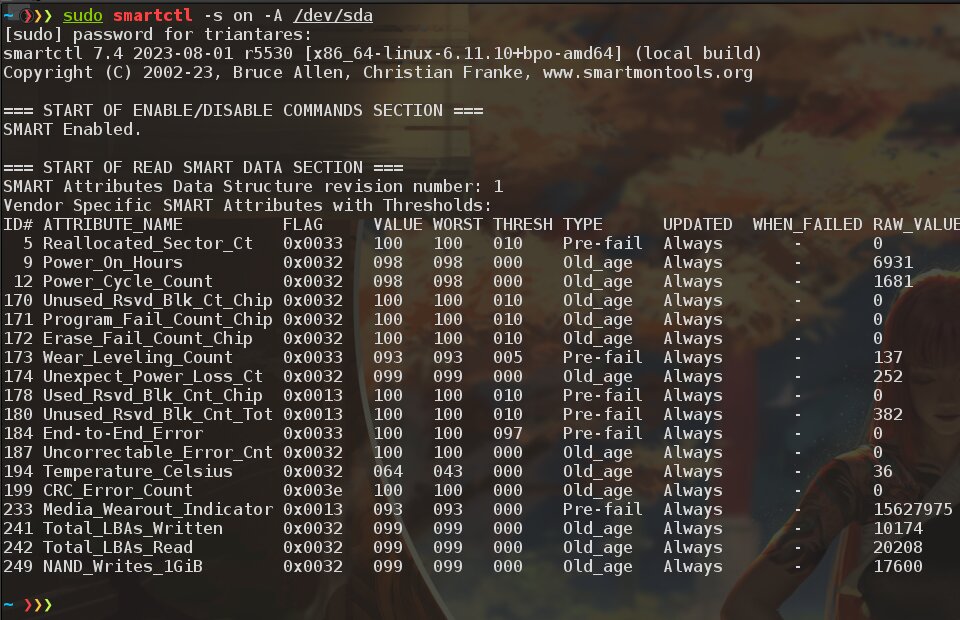
'smartctl -a' says no errors ar anything bad.
Trying the --betatest upgrade again.
it needs to be with "on" and the disk as parameter:
smartctl -s on -A /dev/....
ok, i will read the reports after received
note: 2 hours ago I again received error reports by elive-upgrader about RO filesystem from your side
yeah I wasn't typing the whole shebang.
As you see, nothing of interest.
Come to think of it:
the previous time I was impatient so I killed 'elive-upgrader' that was running on the first login to start the betatest.
Maybe that left stuff in a RO state.
But then the login on the conversions gave a RO impression too.