Upgrading an existing Elive installation to non-systemd (OpenRC) version

The title says it:
I'm upgrading an existing 3.8.49 Elive to 3.8.50-Retro version, removing systemd (through the installer/upgrader) and using OpenRC.

So here's my stetp:

  1. Boot into a live version of 3.8.50 and opt to "upgrade" the found OS and let it update to the latest version of the installer.
  2. Choose to remove systemd when the pop-up shows and ignore the warning.
  3. Let it proceed.

Here I've 2 comments for @Thanatermesis :
1: The installer does NOT ask for my mail address so no report is sent.
2: This is more of a wish. When the installer is done it remarks to some packages having failed to install. It would be nice if it showed a list of what exactly failed so it can be noted/screenshot/photographed for later reference.

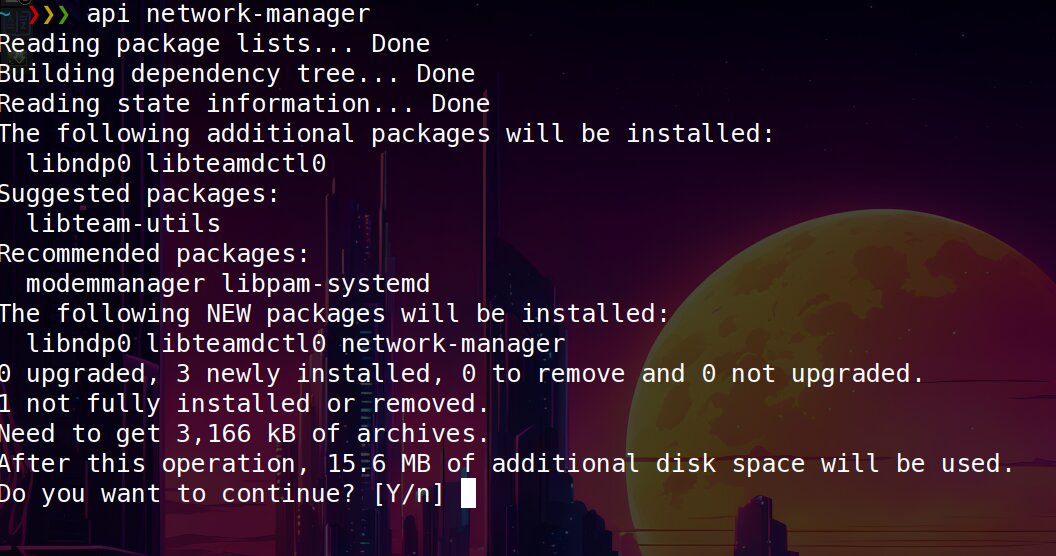
On boot I found out network-manager was one of the removed packages which required some CLI fiddling to get the WiFi connection up and running using WPA.

Here's what I did (from the debian wiki):thinking:
Find your wireless interface and bring it up: (NOTE: wlp2s0 is an example, you will need to make sure to use the correct device name for your system)

# ip a
# iw dev
# ip link set wlp2s0 up

Scan for available networks and get network details (If you already know your wifi network id/ESSID, you can skip this step):

# sudo -su
# iwlist scan

Now edit /etc/network/interfaces. The required configuration is much dependent on your particular setup. The following example will work for most commonly found WPA/WPA2 networks:

# my wifi device
allow-hotplug wlp2s0
iface wlp2s0 inet dhcp
        wpa-ssid ESSID
        wpa-psk PASSWORD

Bring up your interface and verify the connection:

# ifup wlp2s0

# iw wlp2s0 link
# ip a

You can manually bring your interface up and down with the ifup and ifdown commands. If you added 'allow-hotplug wlp2s0' as in the example above, the interface will be brought up automatically at boot.

Where, once you've installed i.e 'connman-gtk' you'll find the wifi connection dead. :face_with_hand_over_mouth:
The thing is then to remove (or comment out) the edited lines in /etc/network/interfaces, reboot and set your password with 'connman'.

  • Of course installing connman-gtk before upgrading over to openRC makes it al a lot easier.

The other issue I've encountered is that the machine wont stop when choosing 'shutdown' from the desktop menu. It drops you into the lightdm interface with only an option to log back in.
The only way I've found to work (besides hitting the power-button manually) is using:
sudo shutdown -h now.
This 'shutdown' issue is slightly reminiscent of my experience using Enlightenment E27 and is probably a privileges/permission thingy.

your last conf / selection is recycled, so there’s a sent report :slight_smile:

D: [ /tmp/eliveinstaller +4747 ] Packages list desired to maintain installed: a aspell-en guake hunspell libefl1-dbgsym mc openshot-qt snapd tint2
W: [ eliveinstaller +5536 ] packages failed to install: 'a'

its implemented on logs so yeah, and looking at the code is already implemented on gui with a “warning” like popup :thinking:, you probably missed it because the mind likely wont read the small “a” as a meaningful information.

nm-applet / network-manager should be kept using openrc and working by default, not in your side? it worked on my vbox test

note: a few updates was made in the installer

That's prolly a typo from my side but ..... I meant a list of all the packages to be removed not only the ones on the " keep-list". That way I would've seen the omission of i.e network-manager.

No it didn't because network-manager itself was not installed i.e removed. Maybe I could've installed it again after I'd set-up my wifi again .... I'm not sure.
I'll have to check after the weekend when I have access to said machine again. :reminder_ribbon:

  • albeit I actually like conman-gtk better. It's a simpler interface doing it's simple job well, unlike network-manager getting cluttered with more and more options. :thinking:

On the whole the machine ran for half a day with no hitches doing web-stuf, doing some video editing and watching movies.
I had a few total freezes in the beginning while the machine was looking for nm-applet, that's all.

looking back at the logs, indeed network-manager was removed in the moment to install openrc, the cause was the package “initscripts”, installed by “sysvinit-core”, but maybe you went with a temporal version of the installer that was uploaded while adapting it to openrc, if you do a new install using openrc it should not have network-manager removed… we will keep an eye on this in any case

the day i decided to switch from previous wifi applications to NM was because I tried to connect from an university and was unsuccessful, NM can be not the more friendly but we need the most compatible one, NM supports many things like VPN’s and other things too, a compatible and working internet connection is one of the most important thing for the end-users and NM does that. Of course this doesn’t stops people from using other internet tools, in linux/debian is so easy to do that.

1 Like

I'll do that .... i.e an upgrade again. A fresh install or upgrade might make a difference. :thinking:

Installing it on the existing OpenRC upgrade doesn't pose any issues, albeit suggesting 'libpam-systemd' is a bit weird, though.

Yes with a big plus that most other distros use NM and have instructions for NM. Those instructions usually are on top of the search results after an internet search.

Uni's always posed problems in that sense. I know I had my hands full getting my daughters connected but ....... I'm wondering if NM's "ease of use" might be down to systemd-usage. :worried:

1 Like

BTW,
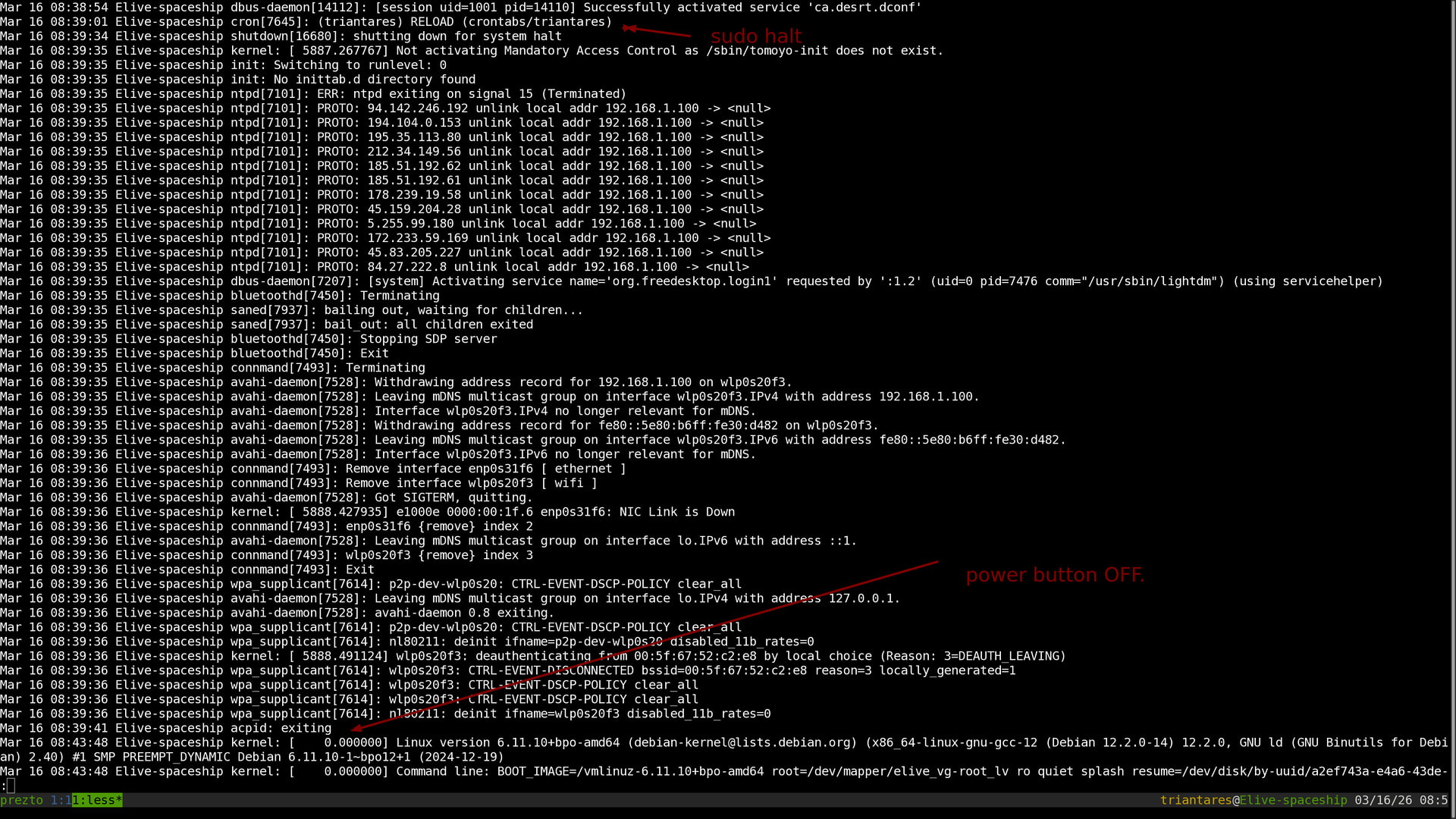
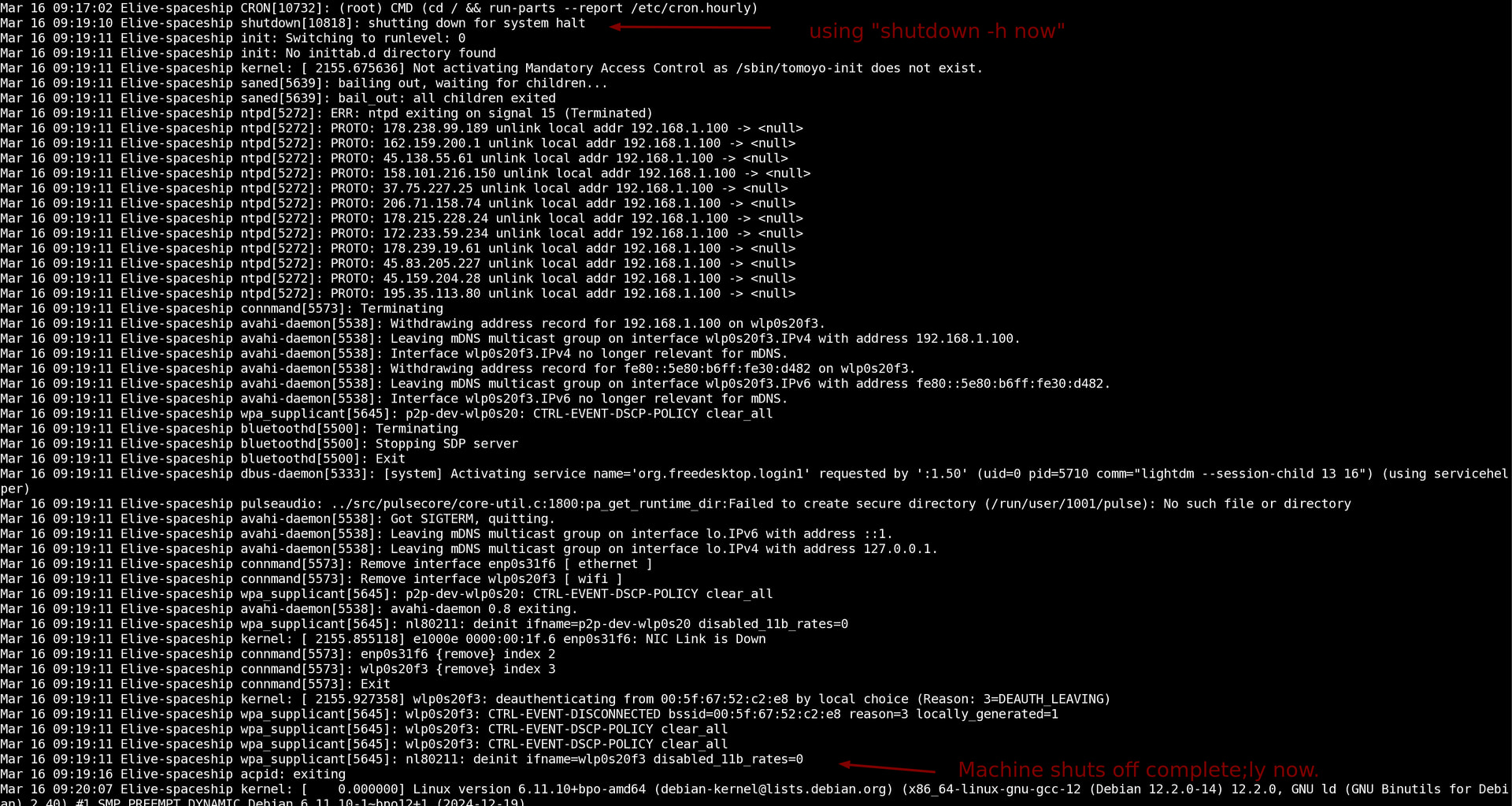
Here's a screenshot of syslog when:

  1. Using 'shutdown' (at 08:30:01) from the desktop menu:

  2. Doing the "sudo halt" in a terminal after a re-login.

  3. Doing a "sudo shutdown -h now" from a terminal:

Hope this sheds some light there. :thinking:

Not sure to understand the last reply, does openrc works good now and with NM kept installed ? any issue found?

OpenRC works fine but I didn't install NM on that machine, I merely tested if dpkg would allow it.

The only thinh I've encountered are the "shutdown/turn-off" issues, I mention in the last post.
Next I'll install E27 and see if that works as it should....just need some spare time. :shocked:

Had some time to kill today so decided to see if my Thinkpad Helix2 would move over to OpenRC.

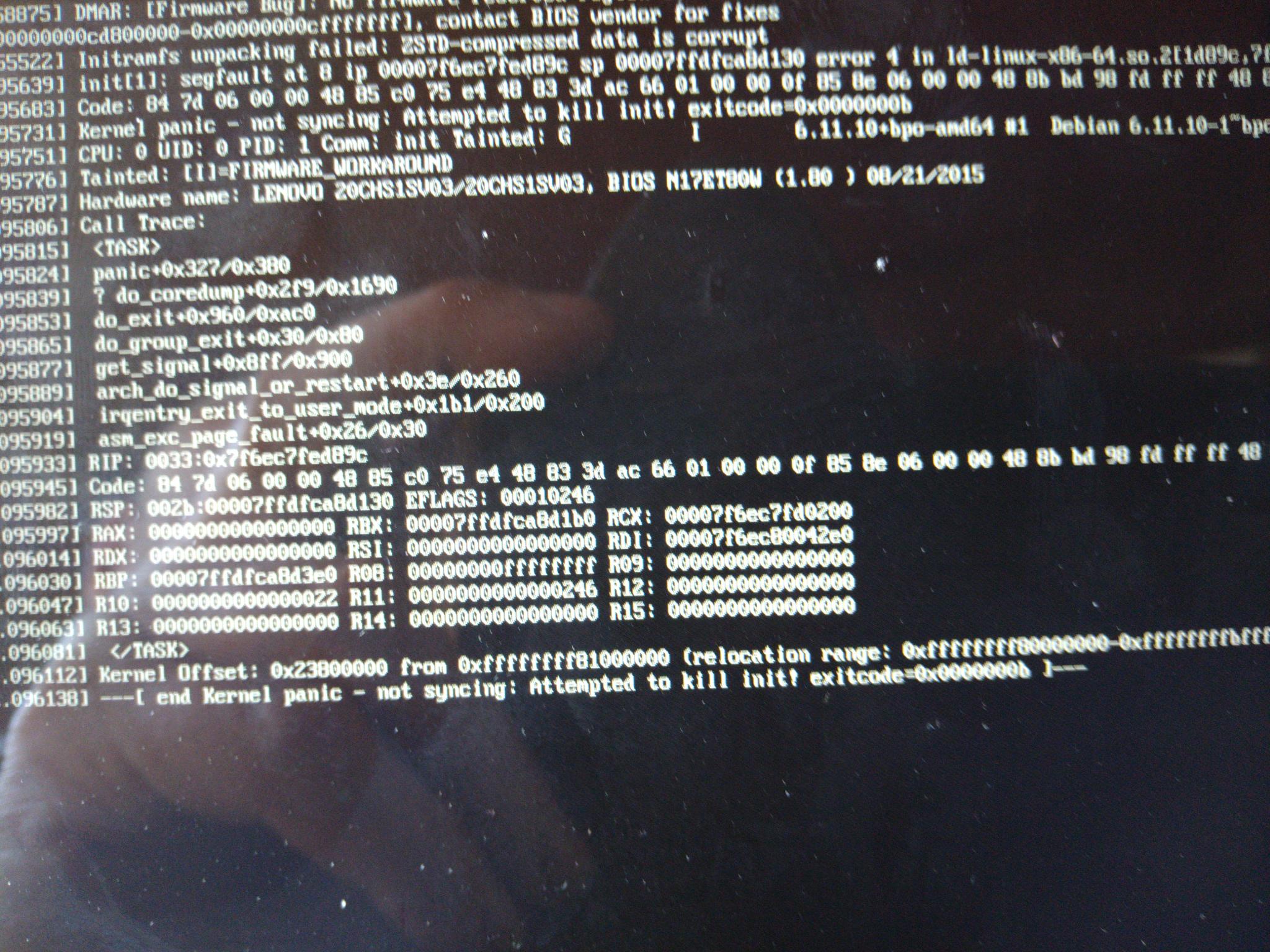
The installation/upgrade itself went fine but ....... a reboot goes into a kernel panic making the install unusable. :shocked:

I get the impression that there GRUB is still calling files related to systemd. :thinking:

I also just realized that to trouble shoot an OpenRC system using 'chroot' isn't going to be totally useful if you're coming from a 'systemd' live-system. :face_with_head_bandage:

1 Like

OK, just upgraded that borked system again, now using systemd and .... that worked.

Then again but removing systemd and ......presto! it worked and booted.
It is now totally functional for as much as I can see and similar to the other machine.

What's also similar:
It only fully turns off by using "sudo shutdown -h now". nothing else.

1 Like

interesting! I had the same issue in my macbook air (light machine tests), but was using an old install with systemd, and… this crash is related to the kernel and not the init system.. may be because of the kernel version? which one where you using? :thinking: 6.1 or 6.11 (the ones included in the iso)? the 6.1 received an update from debian, not the 6.11

remove systemd from the installer, right? that’s the way to go (it does the needed things, hooks, etc, but we also need to make it working by default)

By the way, good news, my pull request was accepted: Sort alphabetically + include elive linux by Thanatermesis · Pull Request #75 · muellermartin/nosystemd.org · GitHub and is now showing elive in https://nosystemd.org/ (which also means “elive being more known”). The problem of elive not having newcomers is because is very not listed anywhere.

Yeah i noticed that (on a vbox), “halt” which I was used to it doesn’t works. It depends a bit of “who” is halt, but halt in fact is not the correct tool to use.

Try next time try also “elive-pm shutdown”, this is the one that should work (the wrapper for elive, but can be used manually too")

1 Like

I was using 6.11. It booted nicely into GRUB but the kernel panic was almost immediate.

There's the culprit:

6.1 should be more stable, but no reason for 6.11 to fail

don’t tell me, btrfs?

what shows if you try to install pkexec? i assume there will be a dependency problem? (maybe trying to install systemd if you do?)

update gksu and see if works now, i added a wrapper for non-pkexec

I installed 'pkexec' on the one machine but needed to 'dpkg-reconfigure gksu' to get it to work. After that 'elive-pm shutdown' works as it should.
On a side note:
This machine (thinkpad X1 Carbon g7) was set to boot when power is inserted (in the BIOS), so it did an immediate reboot after halting. Strangely, the other OpenRC machine( thinkpad Helix2) doesn't do that with the same power setting. :thinking:
And ...... the Helix2 apparently did not lose 'pkexec', where the X1 did ..... weird.

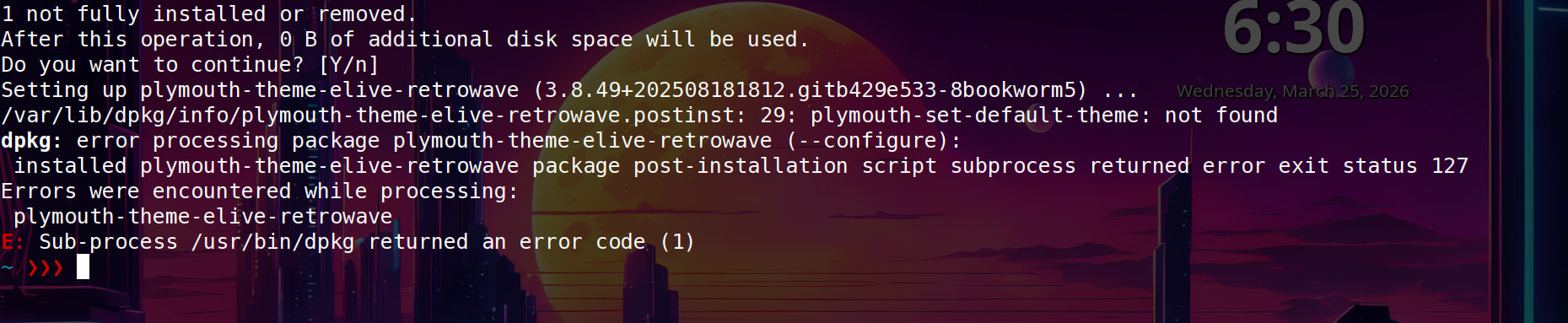
Notably the X1 complains about not being able to fully install the 'plymouth-retrowave-theme'

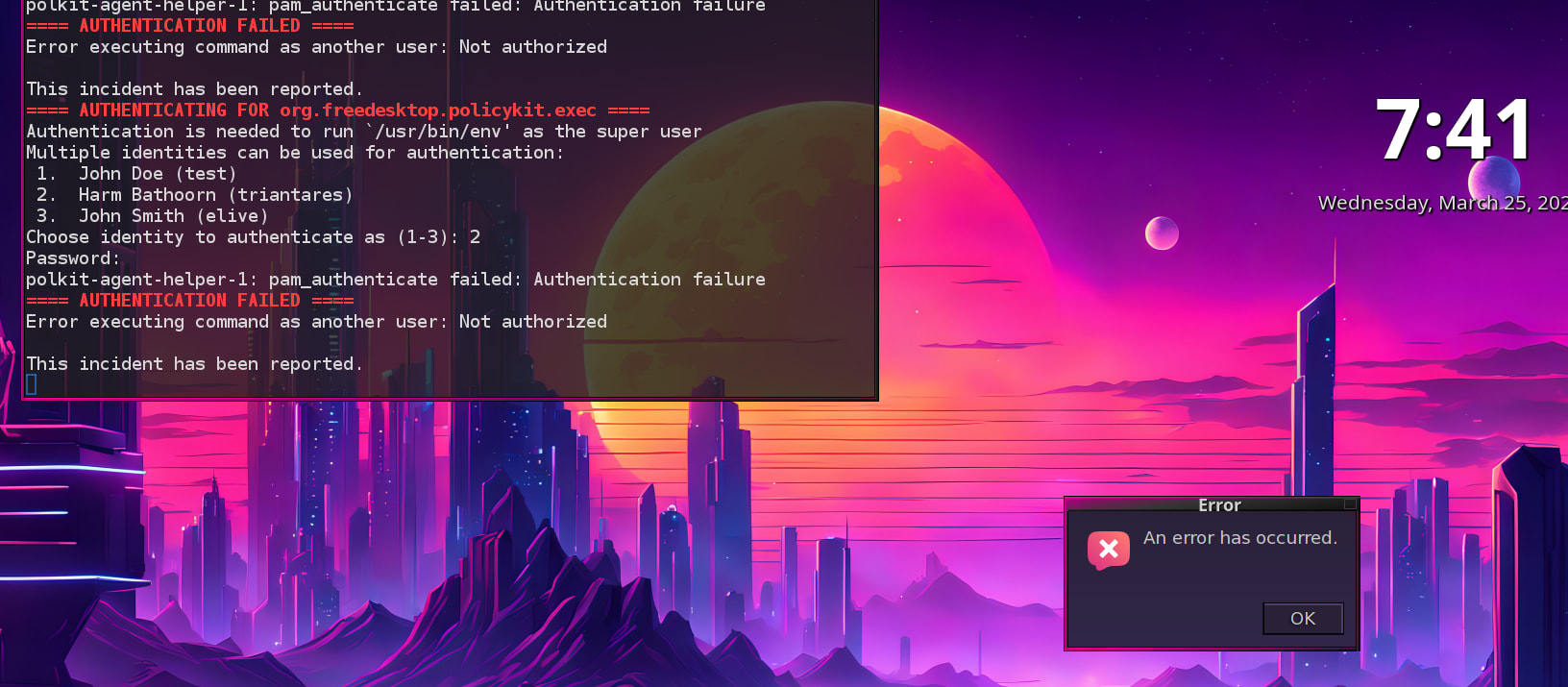
And the same X1 on a reboot doesn't do 'gksu' and cannot authenticate. Looks like an init error. :sad_but_relieved_face:

When then using 'sudo shutdown -h now' the shutdown is slowed down buy "rsyslog: waiting for anacron" which eventually stops rsyslogd.

No, an encrypted file system but shouldn't pose a problem IMO