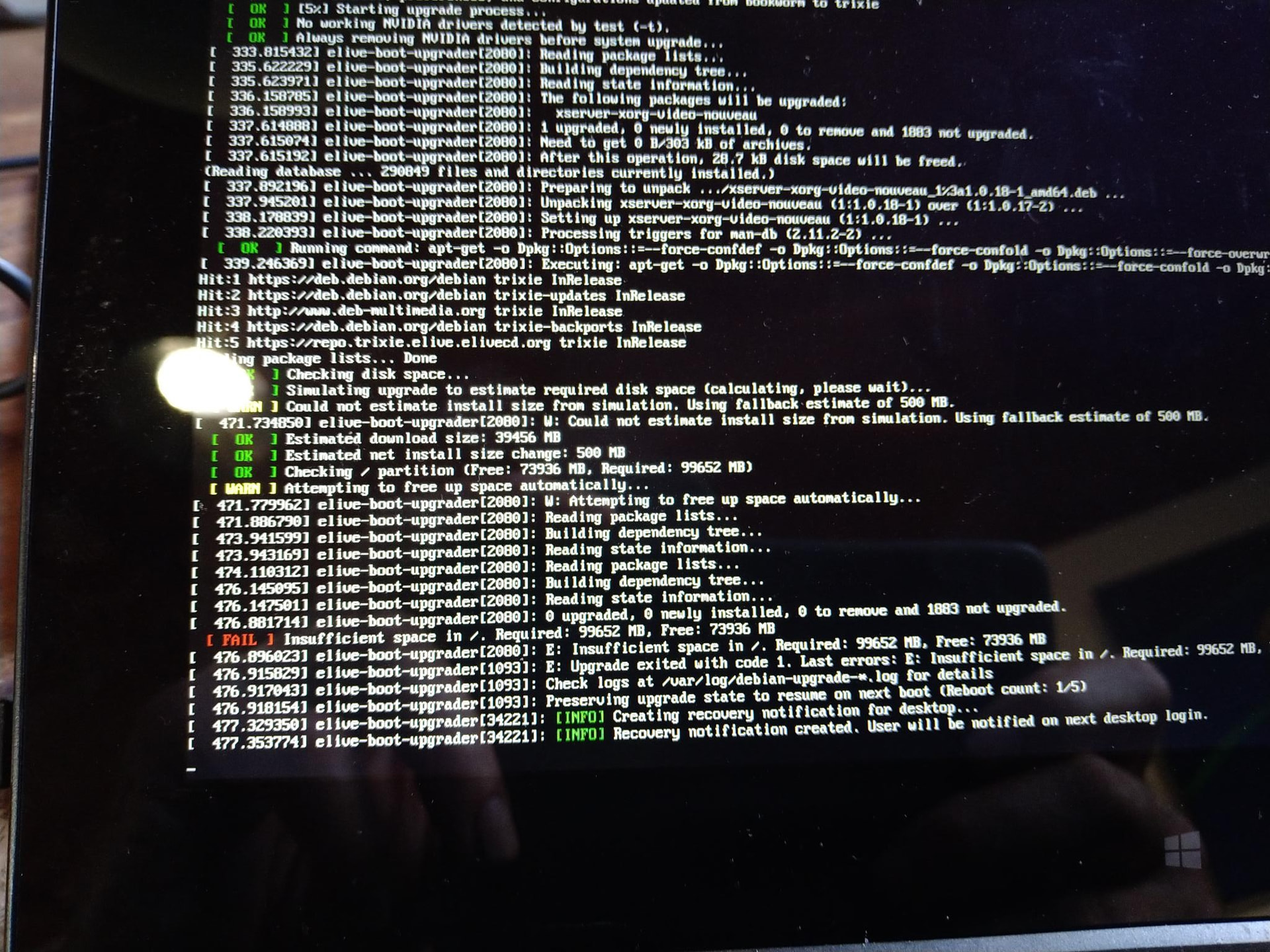
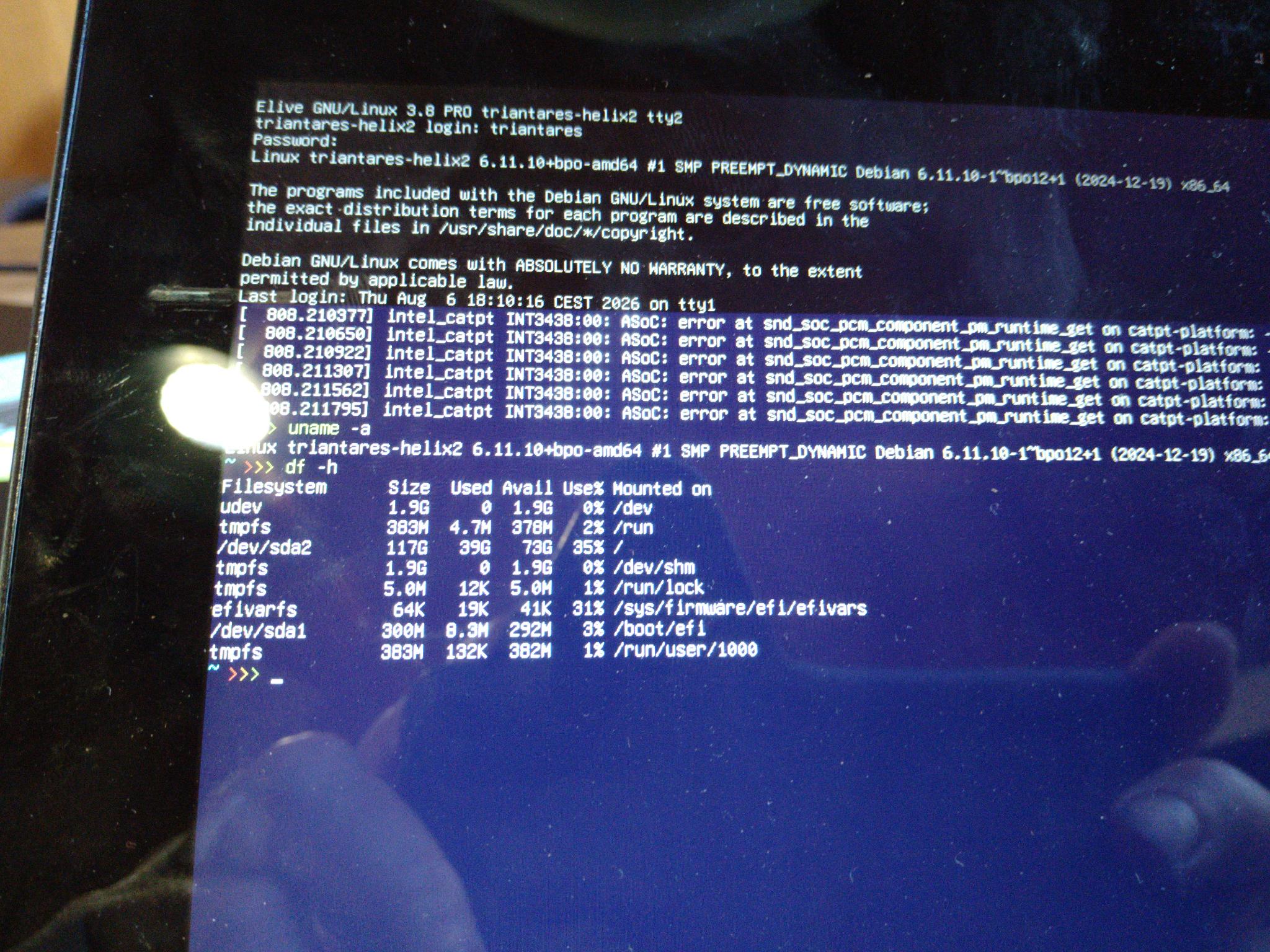
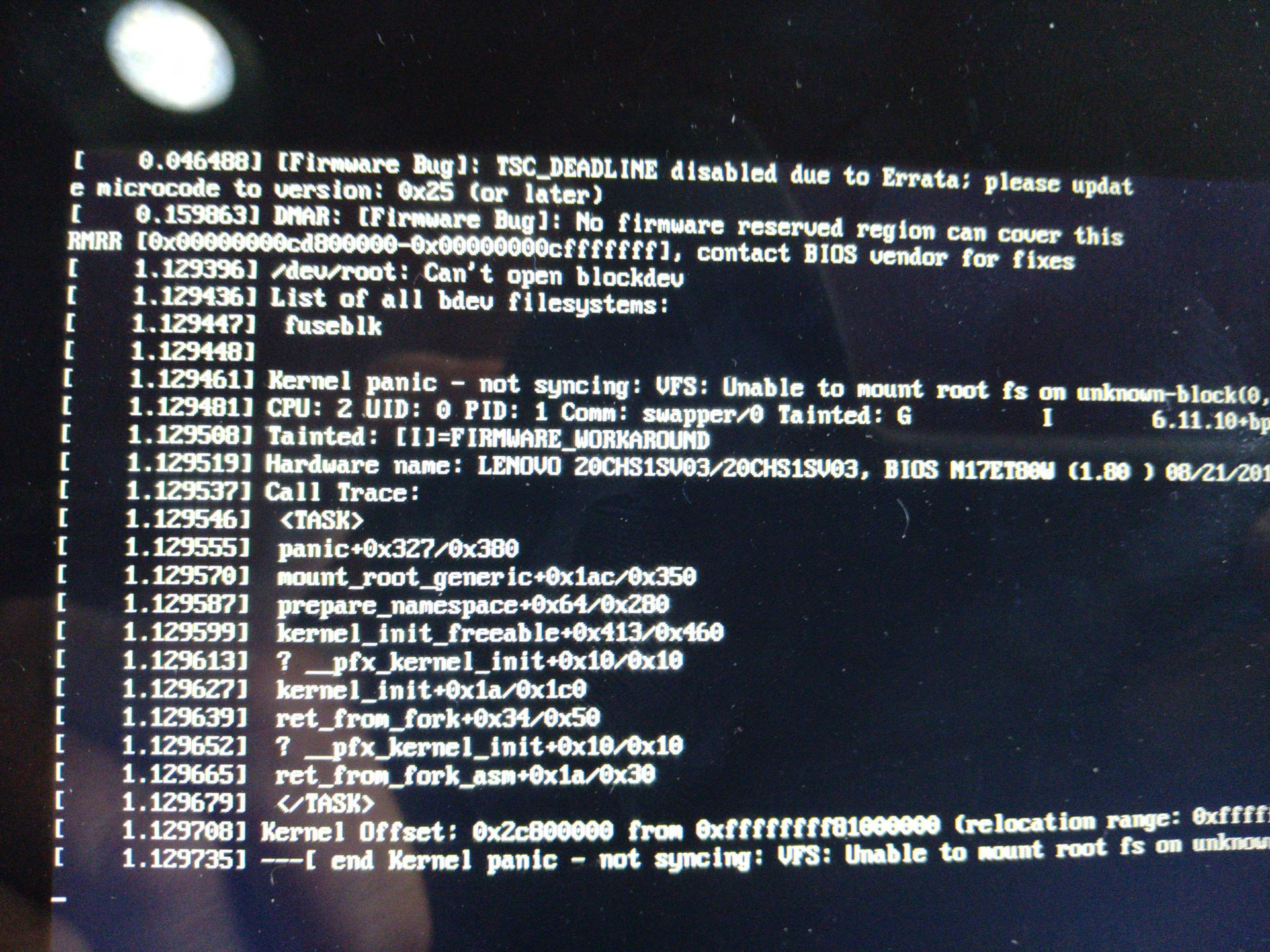
i removed v4l2loopback-dkms on 3.8.50, but it didn't work as hoped. In the upgrading process, after the recognition of the nvidia card, there was many failures, but the prompt was to fast to take a photo. After the upgrade finished i still had only kernel 6 in the grub-menu and the kernel panicked again.
At this moment I try the same procedure with 3.8.49 with this :
I will tell if it works better. And hopefully i have a kernel 7 with nvidia
The answer is "no". It did not work. The kernel also panicked and i had no 7 kernel in the grub menu. Seems that it doesn't want to build the kernel right. I also saw no depmod during the process. The upgrade with nvidia is not possible.
Mmmh the strange thing is that doesn't installs the kernel 7.0, this only happens when actual modules cannot compile (so installing of kernel fails). But all the actual modules are proved that compiles... except for your -actual- nvidia
Maybe the solution is to remove first your actual nvidia packages, before the upgrade and then install them again after the upgrade
@earl31515 so are you back into the bookworm system ? if so, can you show me the result of this?
sudo su
nvidia-privative-drivers-install -t && echo yes || echo no
No. After the fail i tried to install the 3.8.49 without nvidia but did not a clean new install. I did an apug and tried to do an upgrade to trixie, because it already worked earlier. But this time everything was other. I got messages that my last install failed and so on. Warnings. The upgrade itself run through and this time i saw it on both of my monitors. The same output on both. After the upgrade i got a blank grey screen with 3 points in the middle. There was no other desktops available so my only chance was a hard reset.
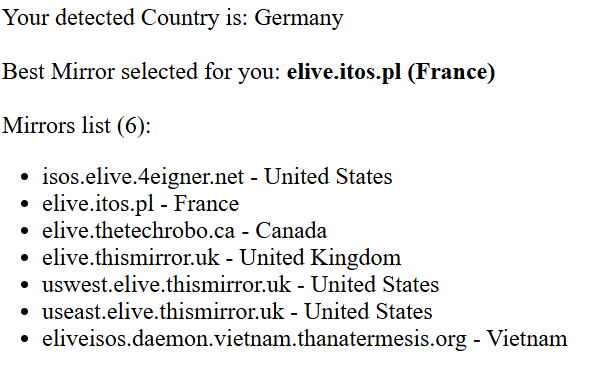
Now i am back on Windows and tried to download the new 3.8.52. I already paid 5$ to get it faster, but the only thing i got was this:
So I am through today with testing and upgrading. It was already 3 fails today.
There's an issue downloading the beta version from the website, I need to look at it. You are downloading the last retro build (which is the same, in fact is better) - you can select the classic designs during the installation
And there's the improvement on elive-upgrader about nvidia, this time it should "remove nvidia packages, upgrade system, install nvidia packages" if you want to try again (remember the echo to /etc/elive-version, but is very likely that with your new .52 iso this entry is already included, you can verify it to confirm )
@earl31515 can you try again the download from the beta version ? (but use the "retro" version, is the same build but better). if im not wrong you should have a link in your paypal / email that you can re-use , or an email from elive with multiple usages of the download link
I am actually in the new clean install of 3.8.52 without nvidia and now i will try to upgrade to trixie and after that i will try your improved nvidia installation. Wish me luck
No. No luck. The forth failed upgrade today. Even from a clean system without nvidia. I got no kernel panic in the end, but an frozen plymouth. Also after the second and third start.
The only upgrade that worked at this moment was an upgrade from 3.8.49 without nvidia after a clean install. And I think I should try this again.
Update 21:12:
For the last time today. The clean install to 3.8.49 without nvidia and a following apug didn't get the upgrade.
With your last attempt, maybe the system tried to install nvidia and thats why it failed (even if you didn't had it installed on your previous .49 ). I cannot know certainly, you should have some log files on /root that will show the details
Another tip, you can edit the boot options to remove "quiet splash", so you can have a more verbose boot and without plymouth, so you can see more exactly "what is happening" (and maybe, plymouth is locking the boot)
I assume that all your problem comes from the nvidia situation, that elive-upgrader is not managing it correctly or its missing something... but since I don't have hte hardware, I cannot try here the changes directly myself.
UPDATE: @triantares : i just updated the upgrader tool to support openrc, so systems with openrc are compatible to upgrade to trixie now
Albeit I'm also thinking of cross-grading that Ubuntu Unity install to Elive but ..... I will need a Trixie based version (or better said: a kernel 7.0) to see if it will copy over the "working" Broadwell soundcard.
I don't know. The last two installations was clean new installs without nvidia drivers. The first one with 3.8.52 lead to a frozen plymouth and the second one with 3.8.49 lead to the 3 points.
Mmmh, we need to wait a little for that, or eventually you can try an official "debian live trixie" and maybe installing required packages from live mode if doesn't work. Just to have a small clue about your audio drivers
the tool has been improved for nvidia cases (both having it installed and not) from .52 but i cannot guarantee that will work correctly since I don't have nvidia hardware to betatest. If you try again, remember that' there's some logs in /root after the upgrade that can help to see "what happened" during the upgrade process, and remember to remove "quiet splash" from your boot options in your first try's just to skip plymouth and be able to read the console boot messages
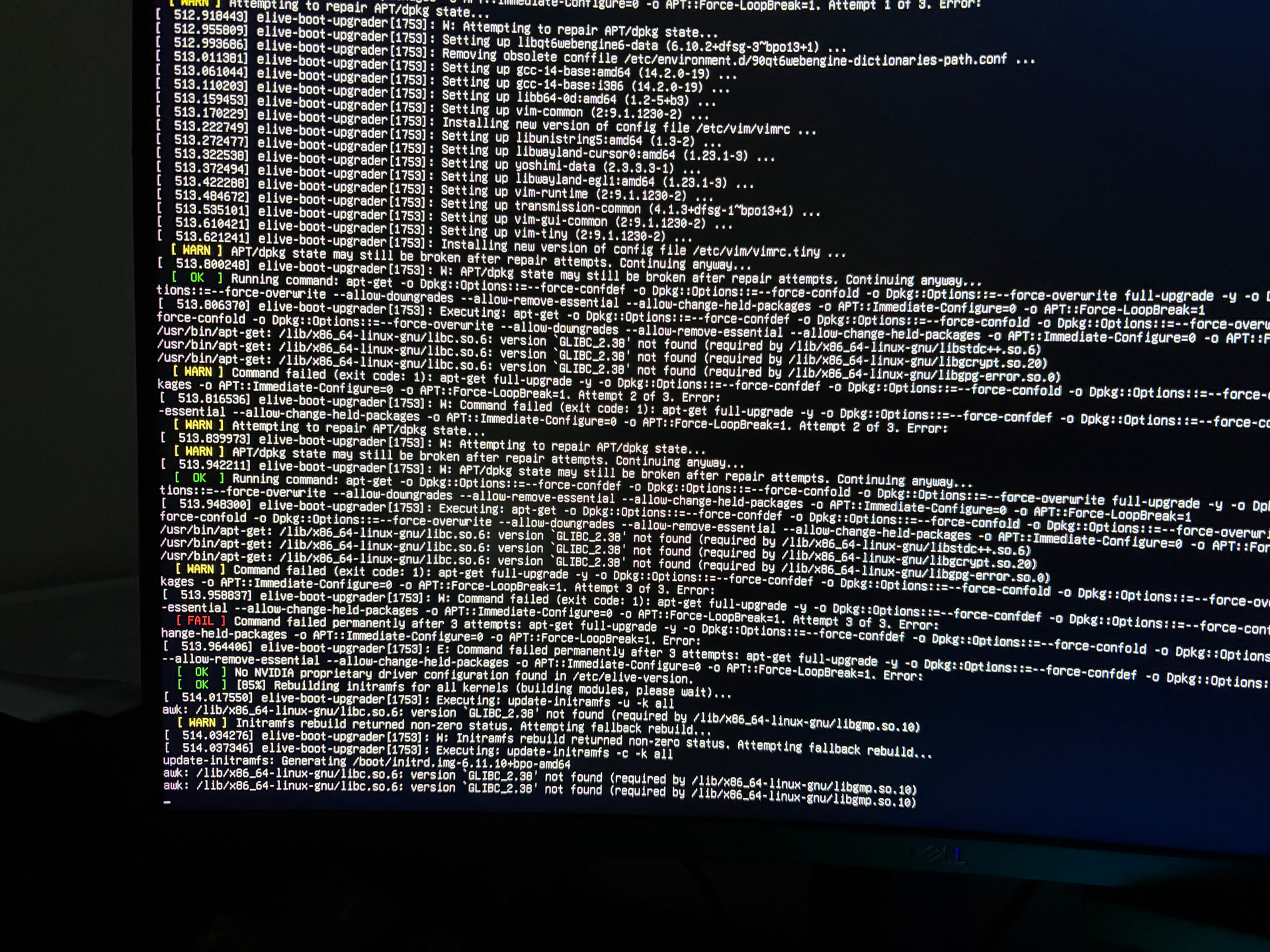
I can see that the upgrade tests for nvidia even if i don't force the drivers. You can see in the photo i took yesterday. But also you can see problems with initramfs and it can't find GLIBC_2.38
Today i made a new install with 3.8.49 and startet the live system with nvidia tesla drivers. I never done this before, but it worked. In the following upgrading process i saw that the driver was uninstalled before building anything. But also today i had many warnings like this:
Yesterday I did multiple upgrades (to Trixie) and cross-grades/installs on the Helix2.
Overall experience:
Crossgrade/switch does not work there.
From the existing Ubuntu 25.05 to 3.8.50 worked but the betatest-upgrade subsequenly kept on getting stuck at various stages, ultimately filling up the disk and running out of space.
Then from Bodhi (ubuntu 22.05 based) it wouldn't finish the cross-grade at all.
Ultimately a fresh 3.8.50 install and betatest-upgraded that to Trixie, which was without a hitch but ......... despite the 7.0 kernel, it still will not have a working Broadwell sound card.
So all in all the only thing left would be to do a fresh Debian 13 Trixie install and see if that will get the sound-card working.
Addendum
Just did a fresh Debian 13 Trixie install and sound works out of the box and ..... running on a 6.12.101 kernel (go figure that one out )
The reason of this is because your system is in a "half-upgraded" system (this means, mixed packages, half from bookworm and half from trixie). And the reason of this is because (as we can see in the screenshot), apt failed the upgrade somewhere, so there has been a problem installing some package, but which one and why ? mmmh not visible in the screenshot, but if you can "pastebin" your logs somewhere I can analize them to see where exactly is the problem and fix it.
About nvidia, is not tested in my side but the messages are about trying to detect it and then decide if must be installed or not (steps are: remove before upgrade, upgrade, reinstall after upgrade)
Ok, try to install other kenrrels in that debian trixie and see if the sound card works with all of them
Then run a "dpkg -l > installed-packages.txt" and post them somewhere, I assume the sound thing is just an extra package needed that we don't have in elive-trixie
About the previous comments, you meant that you installed ubuntu/bodhi and then booted in elive to "convert" them to elive from the installer and didn't worked ? (I must try that here).
And what is the exact issue with the 3.8.50 install + elive-upgrader ? it didn't included the 7.0 kernel ? (this can be because your /boot is too small or because your HD is small, you can see the details of the "why" on the /root left logs )
Crossgrading from a fresh Bodhi install just got stuck somewhere. There should be a log of that somewhere, it just sat there doing nothing.. It's the 2nd report using my proton.me mail address.
Upgrading the fresh 3.8.50 was perfect, except ....... no sound.
See the addendum. A fresh Debian 13 does have a working sound card. Previous Bookworm (12) did not.
I don't think it will make your sound card working, but you can install elive / trixie and compare things in order to make it working on elive (yes, it must work)
You can even have 2 partitions if this computer is just to experiment, one with debian and one with elive installs
Seems like elive-upgrader is not fully stable... also its wrongly calculating that you require 100gb free (which of course i don't have in my vbox tests)
about sound, try to install the firmware-intel-sound and alsa-ucm-confpackages in elive trixie (not required to do now if you still need to play with your debian).
Maybe you can copy your debian full system into a directory in a backup disk, so you can chroot on it in the future to check anything (like installed pacakges)
wait, i read somewhere that you had sound working im confused now...
@triantares can you edit the first post of the thread (mine) to add a TODO list of bugs remaining / needed to fix ? (like the ones im adding right now...), also verify the version of the ubuntu that I have added to see if is the correct one (in case i need to do tests here)

 and then install them again after the upgrade
 )
)


 )
)